

Invoice upload
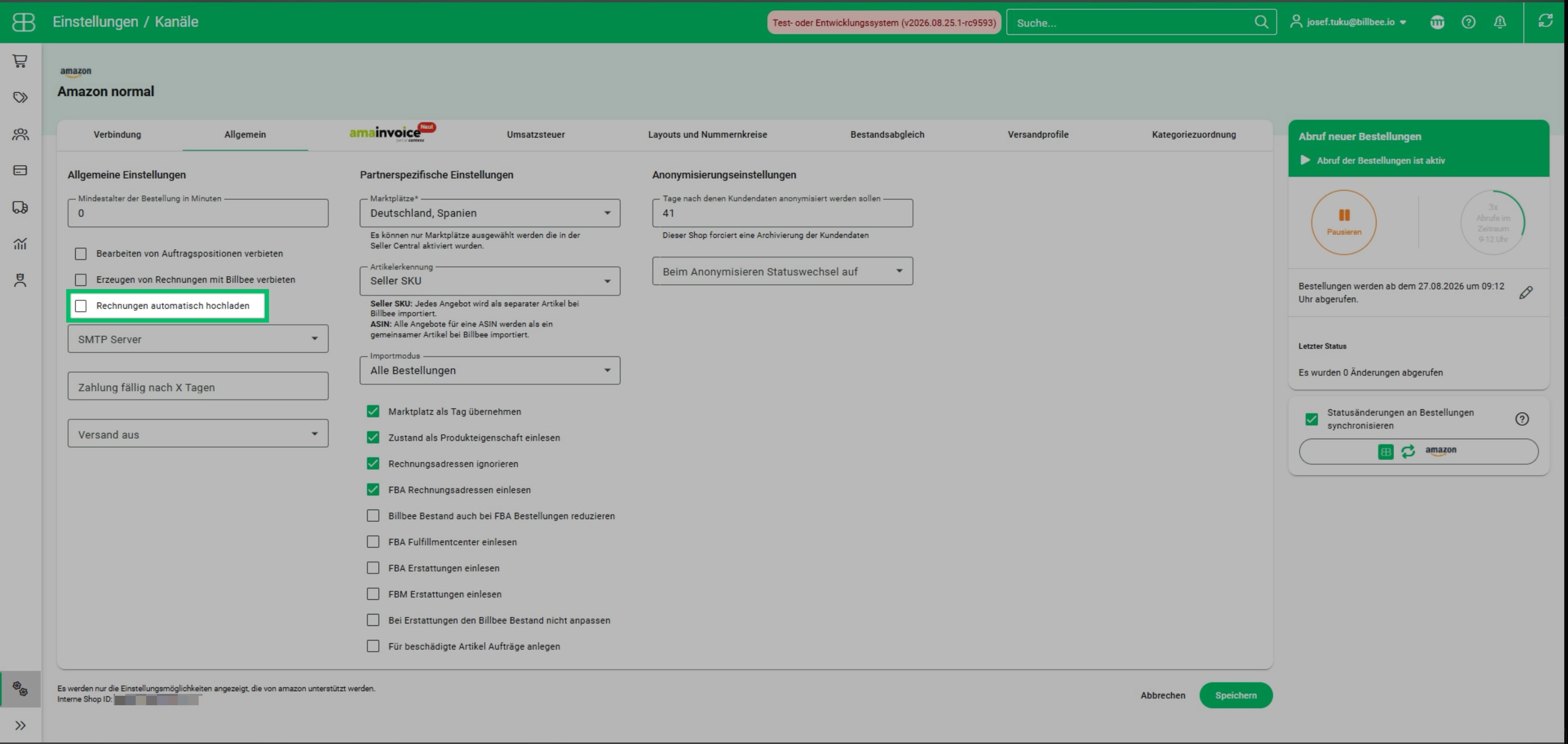
Automatically upload invoices to shop systems and marketplaces
Some shop systems and marketplaces, such as Amazon, require that invoices created in an external system like Billbee also be uploaded to their backend.
With Billbee, the invoice upload process is automated. This not only helps you meet the requirements of your marketplaces and shop systems, but also saves you valuable time.
Automatically upload invoices to your accounting system
By connecting your accounting system to Billbee, you can automatically upload the invoices generated in Billbee to your accounting software. This saves you a tedious step and enables streamlined accounting preparation.
Automatically archive invoices
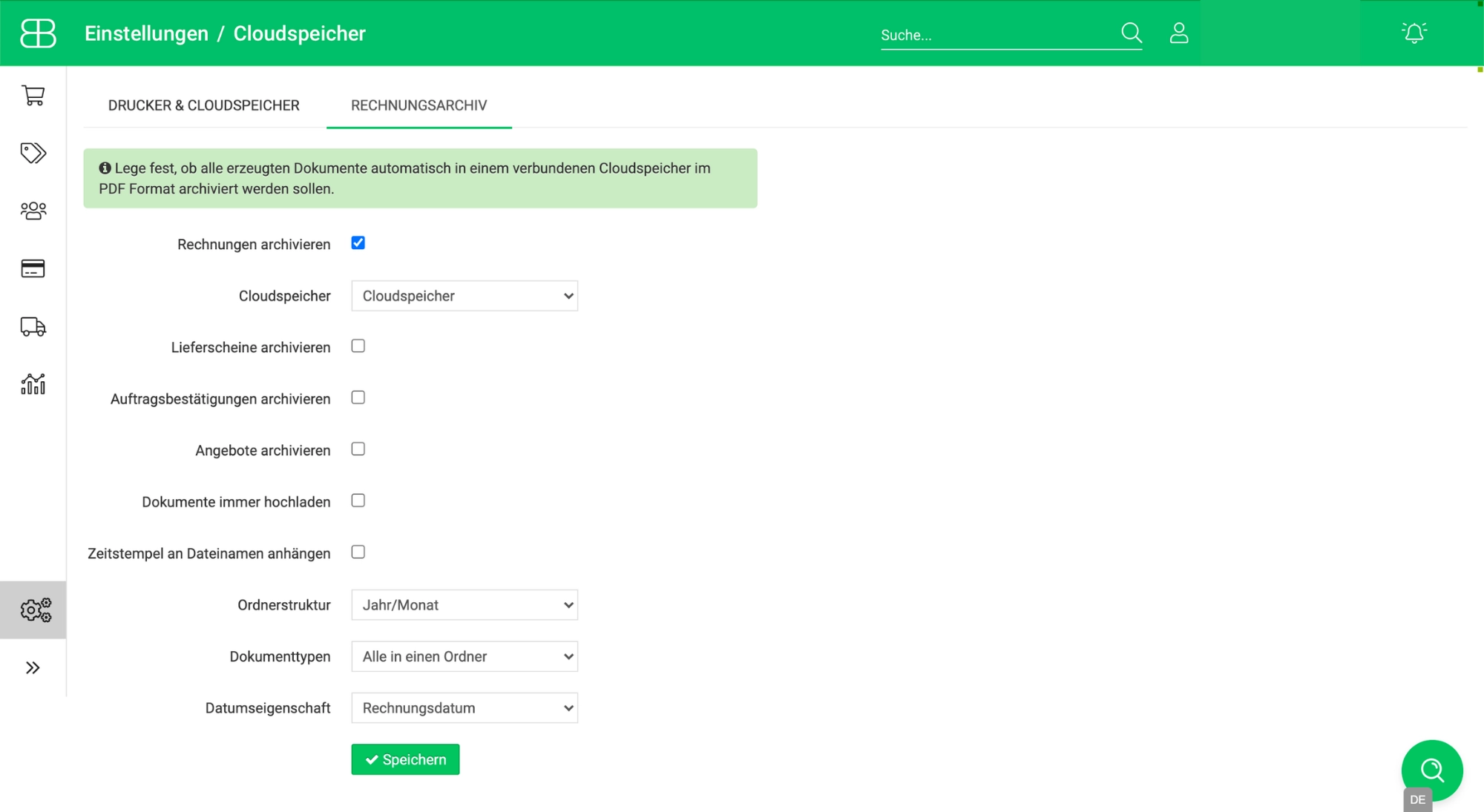
If you have connected cloud storage to your Billbee account, you can archive your invoices without any manual effort.
Simply configure the connected cloud storage as an invoice archive in the settings and have your invoices automatically sorted into a folder structure of your choice from now on.
Frequently asked questions about automatic invoice uploads
Which accounting programs can I connect to Billbee to automatically upload invoices?
Billbee offers integrations with the following accounting software: Amainvoice, Agicap, Bilendo, BuchhaltungsButler, countX, dekodi, FastBill, FIBUdata, GetMyInvoices, JERA, Kontolino!, Lexware Office, PayJoe, sevdesk, Taxdoo, and WISO MeinBüro.
How often are invoices uploaded to my accounting system?
As a rule, Billbee automatically uploads data to your accounting system in the background every few hours. In some cases, this process can take up to 24 hours. If you need to trigger an upload manually due to specific circumstances, you can easily do so yourself. The manual upload feature is compatible with the following programs: Bilendo, BuchhaltungsButler, DATEV Buchungsdatenservice, FastBill, Lexware Office, pebe smart, and sevdesk.
Which cloud storage services can I connect to automatically upload my invoices to the archive?
Billbee supports a wide range of cloud storage services, including: Dropbox, Google Drive, FTP servers, OneDrive, Box.com, WebDAV, and Amazon S3.