Start your 60-day trial

Billbee is the ideal, simple alternative to JTL

Cloud-based instead of server-based: stay flexible at all times
Full range of features instead of paid add-on modules
Simple, intuitive interface for a smooth transition
Test for 60 days, no strings attached
No credit card required. Trial period ends automatically.
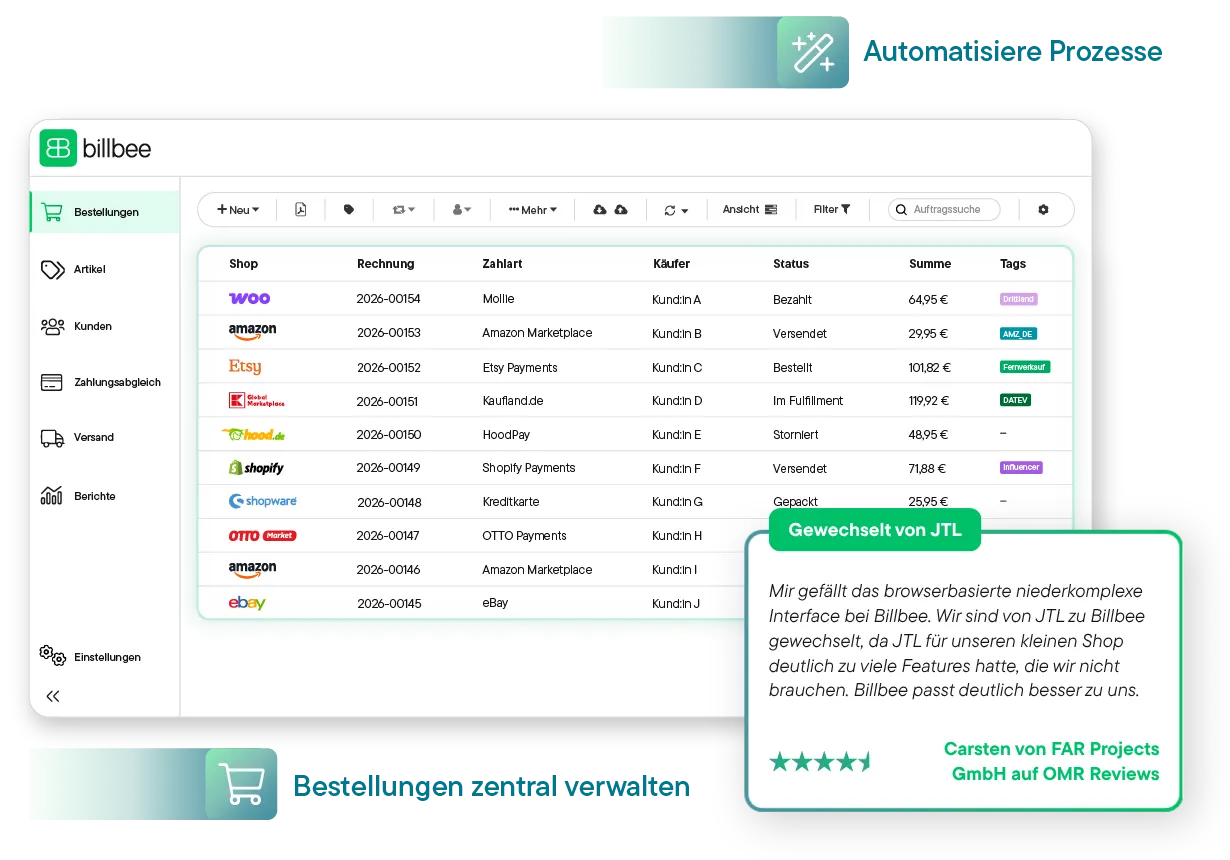
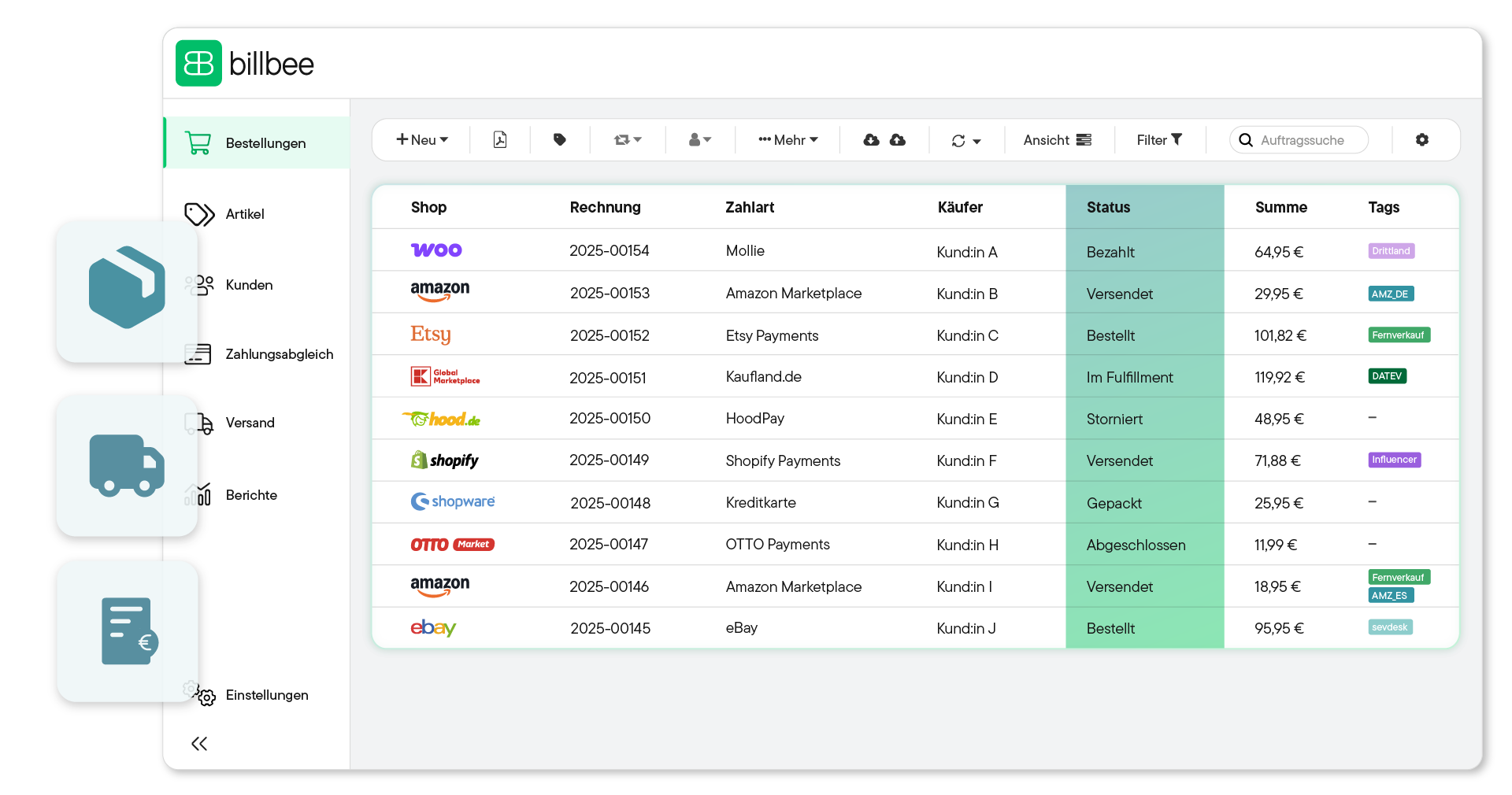
Billbee user interface showing a table of orders from various shops, including invoice number, payment method, buyer, status, total, and tags; next to it, a bar chart with reports for Thu and Fri.
Over 20,000 Online Sellers Use Billbee
A direct comparison

Billbee vs. JTL

Billbee

Intuitive inventory management system
Billbee focuses on simple and fast order processing across all channels. The interface is intuitive and easy to use without a long learning curve. This means you can get started right away when you switch.
Fair, usage-based pricing
Billbee starts with a base fee of €9 per month. There is also a small fee for each order actually processed. You only pay for what you really use.
All features included
All features and integrations are included in Billbee – from automation and inventory management to invoicing and customer communication.
Flexible to use

Billbee is cloud software. For you, this means you can work directly in your browser, independent of the platform, without needing your own server or IT maintenance.

JTL

Complex ERP system
JTL is a complex ERP solution with a logistics system and WMS. This can be overwhelming, especially at the beginning. For many e-commerce merchants, the system also offers more than they actually need.
Paid add-on modules
JTL offers a free core for its inventory management. Additional extensions and integrations incur further costs. As a result, it can quickly become more expensive than initially expected.
Requires extensions
As your business grows, you have to figure out for yourself which additional modules make sense. This costs time and, above all, money.
Windows-based

Since JTL is a Windows-based desktop program, you need a Windows operating system. This can limit your flexibility.

Alle Angaben basieren auf öffentlich zugänglichen Informationen. Stand: Juli 2026.

Your free upgrade starting at 200 orders per month: Inventory management with VentoryOne

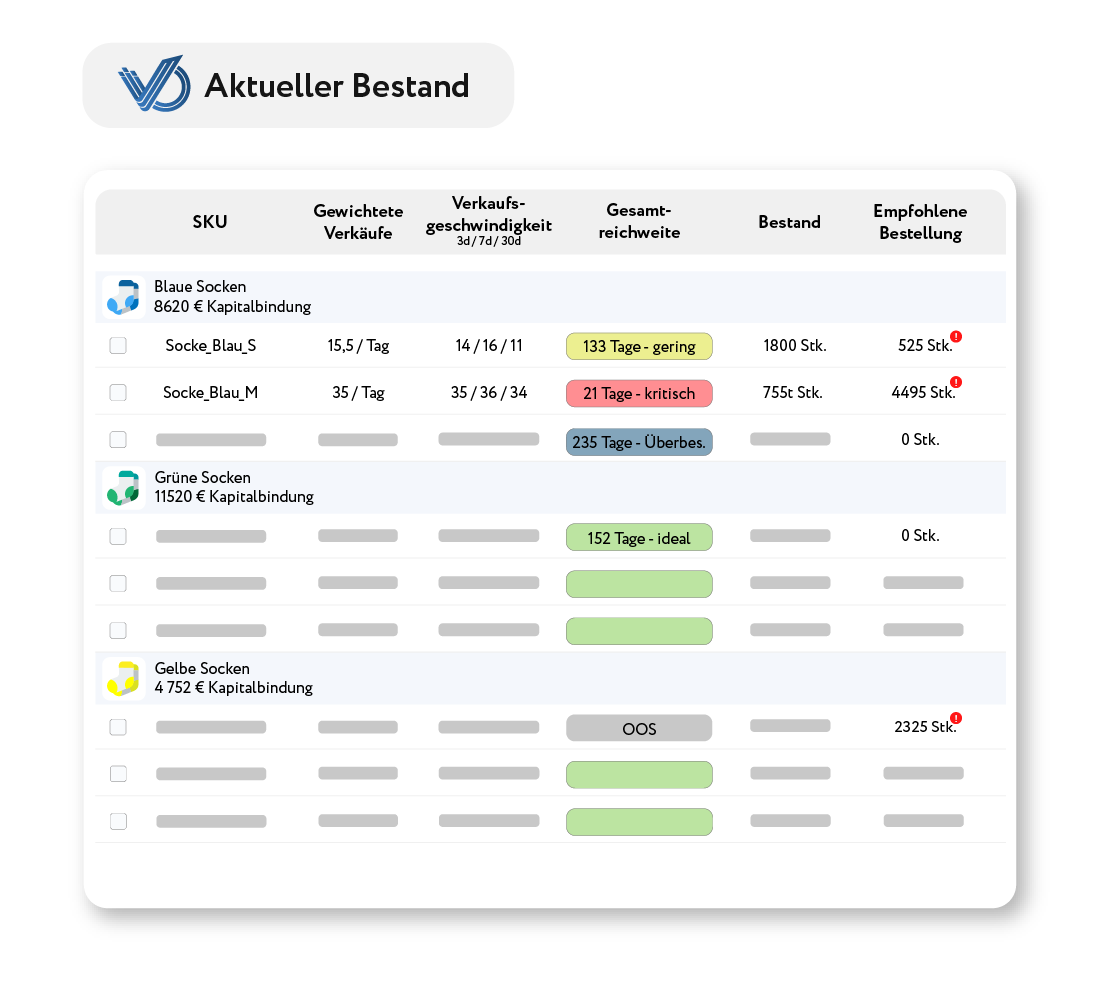
Just like Billbee, VentoryOne is part of the comrce software hub—an ecosystem for e-commerce merchants featuring smart tools designed to simplify your daily operations. From 200 orders onwards, VentoryOne is free within Billbee, allowing you to automate your inventory management even further.

Ventory One Logo mit Text: ab 200 Bestellungen in Billbee 4free vor blau-grünem Verlaufshintergrund.Tabelle zeigt aktuellen Bestand von Socken sortiert nach Farbe, mit Spalten für SKU, gewichtete Verkäufe, Verkaufsgeschwindigkeit, Gesamtreichweite, Bestand und empfohlene Bestellung.
Automate reorders

Keep an even closer eye on your inventory, optimize your order quantities, and automate your reordering process.

Perfect for Amazon sellers: FBA shipments in seconds

Create Amazon shipments in just 3 clicks instead of wrestling with tedious Excel lists and save valuable hours on logistics preparation.

Make data-driven decisions

Use automated reports on reach and inventory movements to expand your product range strategically and without financial risk.

Try it for 60 days instead of 30!
Bestellübersicht in der billbee Software mit Shops, Rechnungsnummern, Zahlarten, Käufern, Bestellstatus, Summen und Tags.

What Billbee users are saying

"I like Billbee's browser-based, low-complexity interface. We switched from JTL to Billbee because JTL had far too many features for our small shop that we don't need. Billbee is a much better fit for us."
Carsten on OMR Reviews
"Billbee stands out primarily for its holistic intuition. Given the wealth of features Billbee offers, it's impressive how easy and logical the setup, settings, and processes are to handle. The strongest feature is definitely the automation rules. Using multiple triggers and filters, you can build an individual workflow—Zapier-style—that makes the tool indispensable for many merchants, and it's something no competitor offers."
Jonas on OMR Reviews
"All the other inventory management systems were way too overloaded with tons of features I don't need, which made things confusing for me. Billbee does exactly what I was looking for: importing my orders from eBay, syncing inventory, creating invoices, and generating shipping labels—all while being beautifully designed and super easy to set up. Plus, the support is great and has always responded within an hour during the day so far."
Steffen on OMR Reviews
6 reasons why Billbee is your best alternative

All Billbee features at a glance

We promise: your online business will become simpler, faster, and more flexible. Billbee was developed not just to take the workload off your shoulders, but to give you full control over your processes and costs. From instant readiness to our unique support guarantee: discover the features and benefits that make Billbee so special.

Multichannel Order Management

Connect all your shop systems and marketplaces to Billbee and manage your orders centrally in one piece of software.

Centralized Inventory Management

Keep your inventory up to date across all platforms with automatic stock synchronization.

Weißes Symbol einer Lieferbox und eines Lieferwagens auf lila Hintergrund, das effiziente Versandabwicklung darstellt.
Fast Shipping Processing

Generate shipping labels, share order status and tracking links with your customers and sales platforms, and manage your returns easily within Billbee.

Automated Order Documents

Create, send, and archive invoices and more automatically. Save valuable time, avoid errors, and keep track of all your channels.

Smart Reporting & Analytics

Analyze your revenue, processes, and performance to spot trends at a glance and make faster, better decisions.  

Zwei Zahnräder, ein großes weißes und ein kleineres grünes auf grünem Hintergrund.
Custom Automations

From invoices and shipping labels to payment reminders: Billbee automates your routine tasks, giving you back valuable time to focus on your core business.

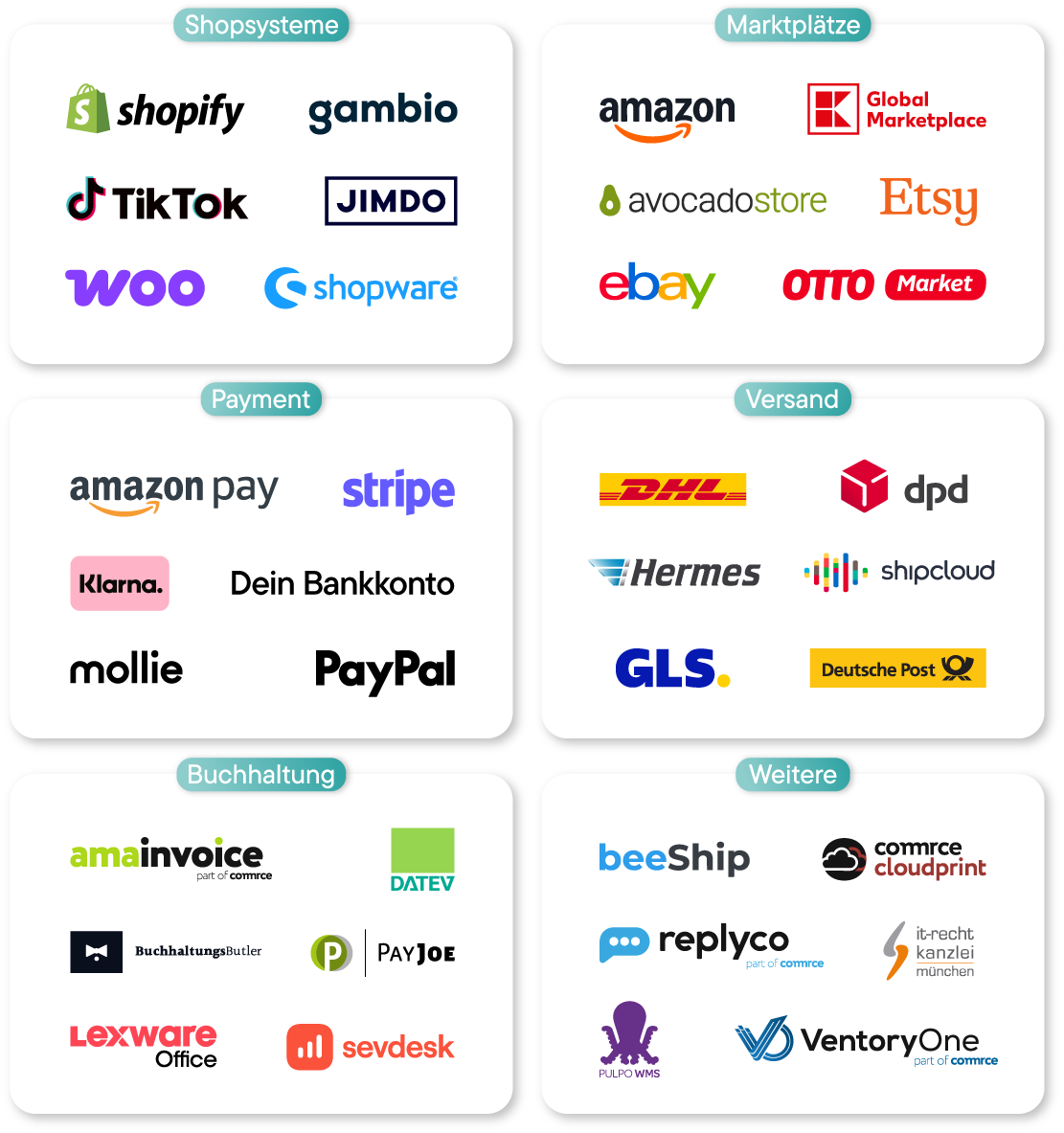
Connect Billbee to over 150 interfaces
Grafik zeigt ein Laptop mit Billbee Bestellübersicht, umgeben von Kategorien mit Logos: Shopsysteme (Shopify, Shopware, Gambio, Jimdo, TikTok, Woo), Marktplätze (Amazon, eBay, Global Marketplace, Otto Market, Etsy, Avocado Store), Payment (Bankkonto, Klarna, Stripe, PayPal, Mollie, Amazon Pay), Buchhaltung (BuchhaltungsButler, Amainvoice, Datev, Sevdesk, Lexware, PayJoe), Versand (DHL, Shipcloud, Hermes, GLS, Deutsche Post, DPD) und Weitere (beeShip, Commerc Cloudprint, IT-Recht Kanzlei München, Pulpo WMS, Replyco, VentoryOne).Logos von Shopsystemen, Marktplätzen, Zahlungsanbietern, Versanddienstleistern, Buchhaltungssoftware und weiteren Dienstleistern in sechs Kategorien.
Switch in just a few steps

Switching from JTL to Billbee is this easy

You can get started with Billbee today, even without any technical expertise. Our tutorials and comprehensive manual will help you with the transition and setup.

1. Preparations in Billbee

Set up your Billbee account: Connect your online shops, marketplaces, shipping providers, and payment services, then import your products, inventory, and customer data to ensure everything is transferred cleanly.

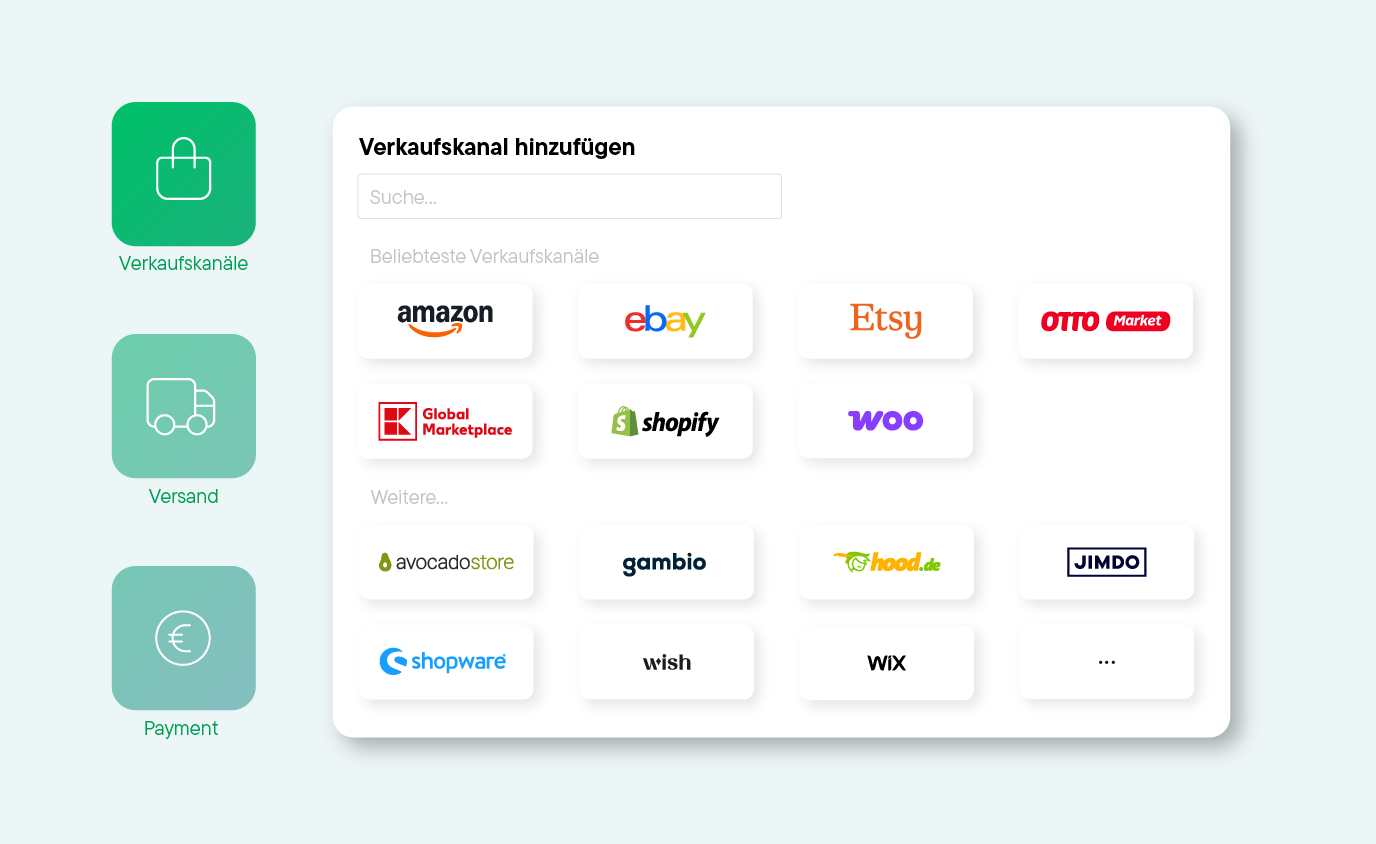
Bildschirmansicht zum Hinzufügen von Verkaufskanälen mit Logos von Amazon, eBay, Etsy, OTTO Market, Global Marketplace, Shopify, Woo, Avocado Store, Gambio, hood.de, Jimdo, Shopware, Wish und Wix.
2. Preparations in JTL

Now, stop order imports and invoicing in JTL. At the same time, adjust the number ranges in your Billbee settings so that your future invoice and order numbers continue seamlessly from JTL without any gaps.

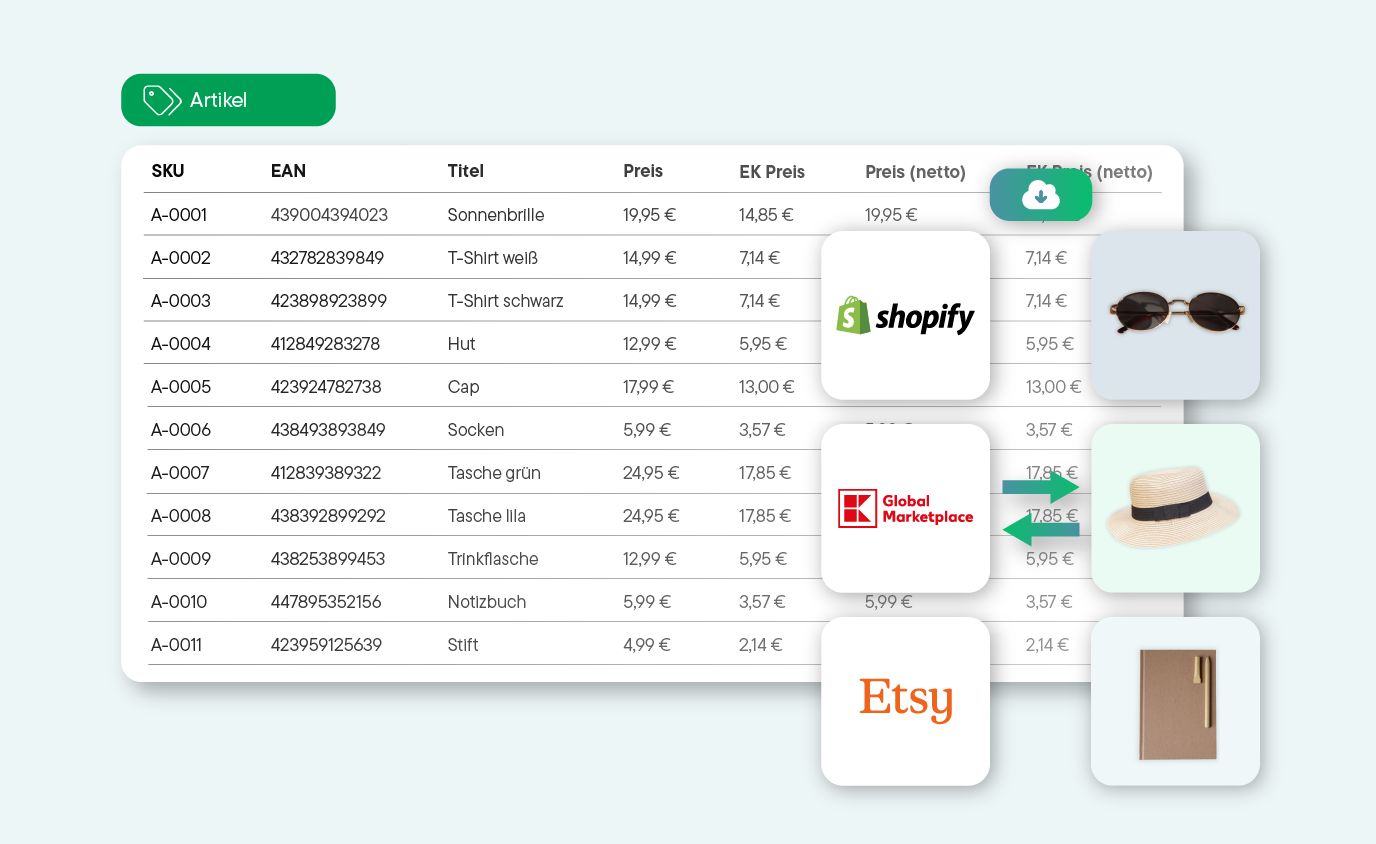
Tabelle mit Produktdaten wie SKU, EAN, Titel und Preisen für Sonnenbrille, T-Shirts, Hut, Cap, Socken, Taschen, Trinkflasche, Notizbuch und Stift, daneben Logos von Shopify, Global Marketplace und Etsy mit Produktbildern von Sonnenbrille, Hut und Notizbuch.
3. Getting started with Billbee

Billbee now automatically imports your orders and creates an invoice for every purchase. With additional rules, you can easily automate your entire business step by step.

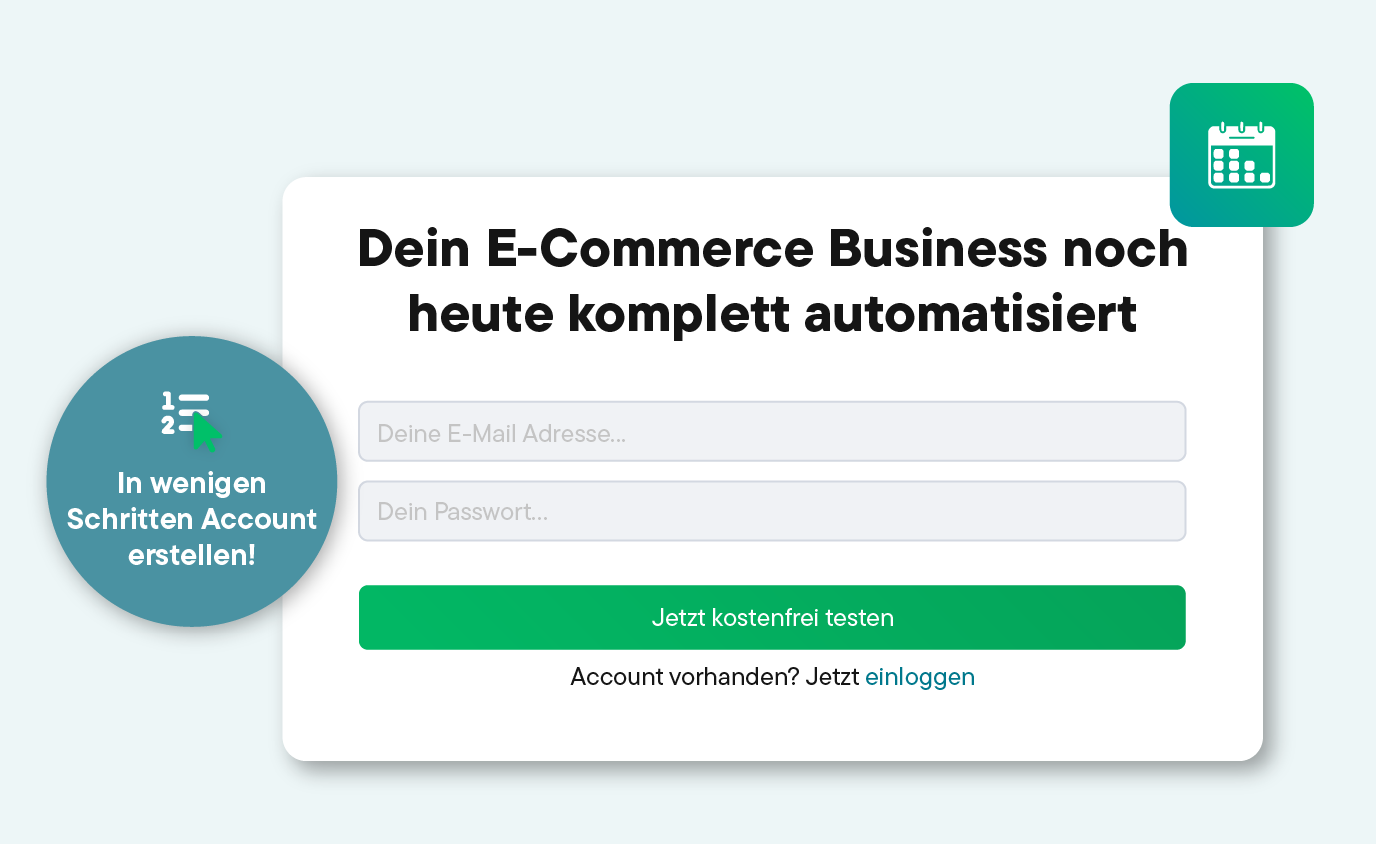
Registrierungsformular mit dem Text 'Dein E-Commerce Business noch heute komplett automatisiert', Felder für E-Mail-Adresse und Passwort, grüner Button für 30 Tage kostenlosen Test und Hinweis auf Kontoerstellung in wenigen Schritten.
Try Billbee Today, Completely Risk-Free

Billbee pricing: simple, fair and without fine print

Billbee grows with you. Your month. Costs are purely usage-based — perfect to set the course for your growth.

All inclusive: All features & interfaces can be used immediately
Fair: No minimum term, cancellable on a monthly basis
There for you: Support with guaranteed initial response time
Flat rate: Unlimited number of users at no extra cost
Tool upgrade: Billbee is part of the comrce software hub. Depending on the number of orders, you can therefore use additional tools for free!

How many orders do you have
per month?

Bestellanzahl
i
Bestellungen werden als alle in Billbee angelegten oder importierten Bestellungen und Erstattungen, Stornorechnungen & Gutschriften definiert.
0
0
Total price per month: 9€
From 200 orders, you also get:
Tools for inventory management & customer support.
Test now without obligation
No credit card required · Trial ends automatically
In addition to Billbee, you have depending on the number of your months. Orders additional tools included
Billbee Starter

up to 200 orders

Billbee in full
  • All functions & interfaces included
  • Can be cancelled monthly (no minimum term)
  • Unlimited number of users
  • Free email support with service promise
  • 24/7 cloud availability
additionally included
Amainvoice - Amazon Accounting
If Amainvoice is actively connected, Billbee does not charge any fees for your Amazon orders.
Billbee Growth

from 200 orders

Billbee in full
  • All functions & interfaces included
  • Can be cancelled monthly (no minimum term)
  • Unlimited number of users
  • Free email support with service promise
  • 24/7 cloud availability
additionally included
Amainvoice - Amazon Accounting
If Amainvoice is actively connected, Billbee does not charge any fees for your Amazon orders.
VentoryOne - warehouse & inventory management
You get full access to VentoryOne for your warehouse management at no extra charge.
Replyco - E-Commerce Help Desk
Replyco is available to you free of charge as a software solution for customer support.

Frequently asked questions about switching from JTL to Billbee

We understand that switching from JTL is a big decision. To make sure everything goes smoothly and you know exactly how Billbee works best for you from the start, we’ve answered the most important questions here. If anything remains unclear, feel free to contact our support team or our experts via chat.

What is the difference between Billbee and JTL?

The main difference between JTL and Billbee lies in the depth of the system: Billbee is a lean, cloud-based multichannel tool for inventory management, order processing, shipping, and the automation of order documents. It was developed specifically for multichannel merchants who want to automate their processes without implementing an extensive, complex ERP. JTL, on the other hand, is an extremely deep enterprise resource planning (ERP) system that traditionally runs on Windows servers and can also map complex warehouse and purchasing processes.


Your benefits with Billbee:

  • Easy to use: The interface is modern and intuitive. You can connect your shops (Shopify, Etsy, WooCommerce) and marketplaces (Amazon, eBay) with just a few clicks.
  • No maintenance: Since Billbee runs in the cloud, you don't need to install updates or manually back up your data.
  • Cost control: Because you pay per order, your costs are lower in months with less revenue. Plus, there is no limit on the number of users.
  • Focus on what matters: Billbee does exactly what it's supposed to do – import orders, create invoices, print shipping labels, and sync inventory across platforms. It is designed for day-to-day operations and tailored specifically to the needs of online retailers.


How does switching from JTL to Billbee work?

Billbee is designed as a self-service tool and built for quick setup. This means: You can handle the switch yourself – without an agency or expensive setup fees. You can find a detailed description in our help article on switching systems. Here, we show you step-by-step how to switch from JTL to Billbee.

If you would like some support, our service partner Bayfox is happy to help you with the switch. Please note that this is an additional, paid service that is independent of your Billbee subscription. As a thank you for switching to Billbee, you get an exclusive 20% discount on all setup packages at Bayfox. Click here to access the Bayfox switching service.

Can I transfer items, orders, and more from JTL to Billbee?

Yes, the transfer is easy. We provide detailed import functions (e.g., CSV) for item and customer data to help you with this.

If you are unsure, you can also have the switch handled by Bayfox – a certified service partner.

Is Billbee suitable for high order volumes?

Yes, Billbee is a highly scalable cloud solution specifically designed for the fast-paced world of e-commerce. You don't need to worry about server setups or manual database maintenance, as our architecture is built to reliably process any order volume in the cloud.

How does Billbee's pricing compare to JTL?

JTL offers a free core that usually requires expansion through paid modules and hosting costs. Billbee, on the other hand, uses a transparent, transaction-based pricing model. You get access to all features from the start – with no hidden module fees – giving you full control over your costs.

How long does it take to set up Billbee?

Unlike setting up a comprehensive ERP system, Billbee is a cloud solution that is ready to go immediately, with no long implementation phases. Setting up your interfaces usually takes just a few minutes, and transferring your data from JTL can be done in just a few simple steps.

Türkisfarbener Schild mit der Aufschrift 'OMR REVIEWS TOP 100 TOOLS IN DACH 2025'GetApp-Logo mit Benutzerbewertungen und einer Bewertung von 4,7 Sternen.Abzeichen mit der Aufschrift 'OMR REVIEWS LEADER ERP SYSTEMS 94/25'Schild mit der Aufschrift 'OMR REVIEWS TOP 100 TOOLS IN DACH 2026'OMR Badge mit Leader in der Kategorie Multichannel Retail Q1/2026Abzeichen mit dem Schriftzug 'Capterra' und einer Bewertung von 4,7 SternenOMR Badge mit Leader in der Kategorie Multichannel Retail Q1/2026