One tool, all channels

WooCommerce & DATEV Integration

Connect WooCommerce & DATEV seamlessly
Prepare your accounting without manual effort
Numerous automations for WooCommerce shops
Start your free trial
No credit card required. Trial period ends automatically.

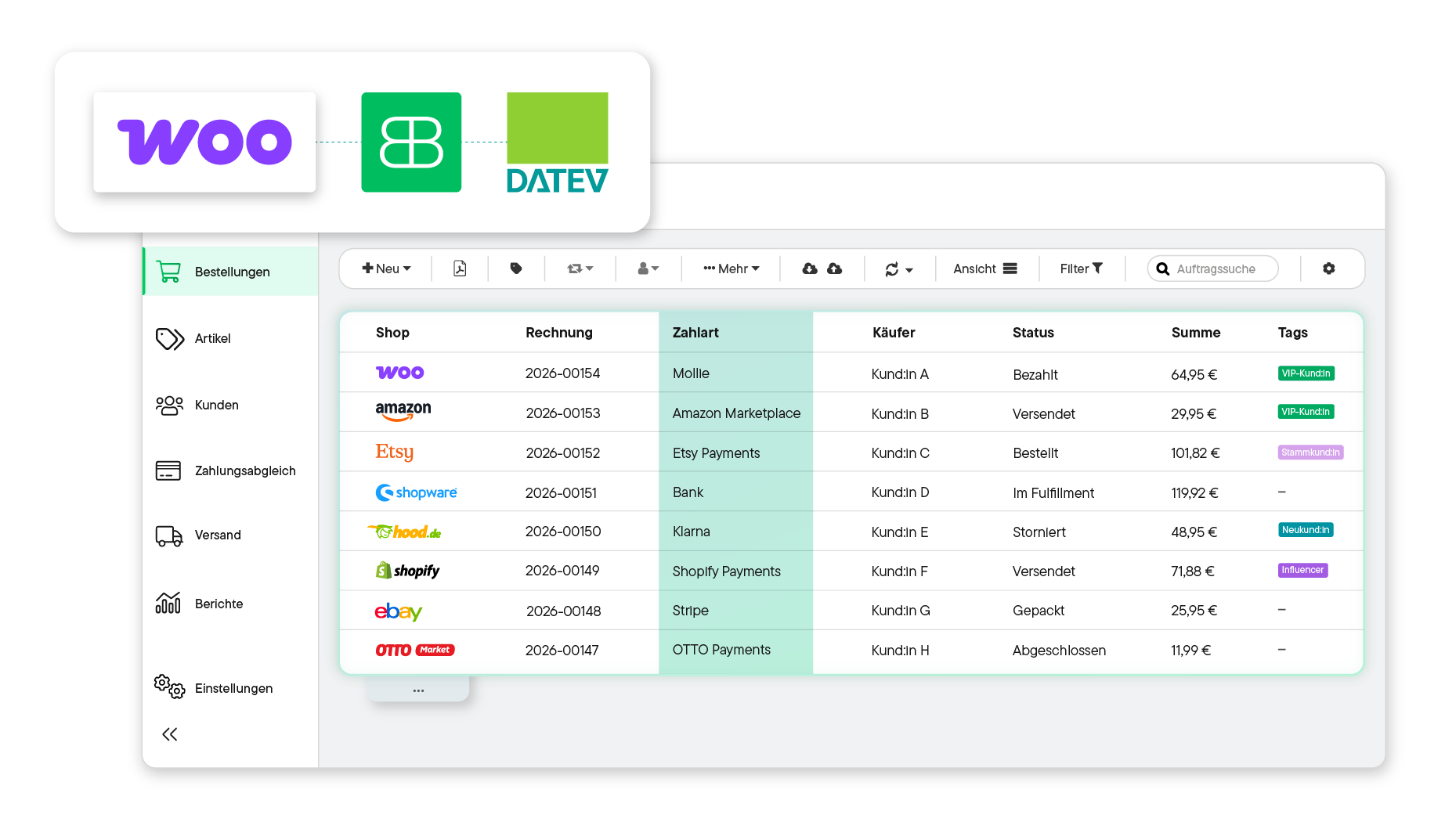
Billbee user interface showing a table of orders from various shops, including invoice number, payment method, buyer, status, total, and tags; next to it, a bar chart with reports for Thu and Fri.
Over 20,000 Online Sellers Use Billbee
One tool, all channels

Billbee is the ideal interface between WooCommerce & DATEV

Zahlungsinformationen mit Billbee von WooCommerce an DATEV übermitteln
Create WooCommerce invoices automatically in Billbee

Billbee automatically creates an invoice for every new WooCommerce order and sends it directly to your customers. If you wish, Billbee can also archive the invoice directly in your connected cloud storage. This means you no longer have to do anything manually.

Transfer documents directly to DATEV – manually or fully automatically

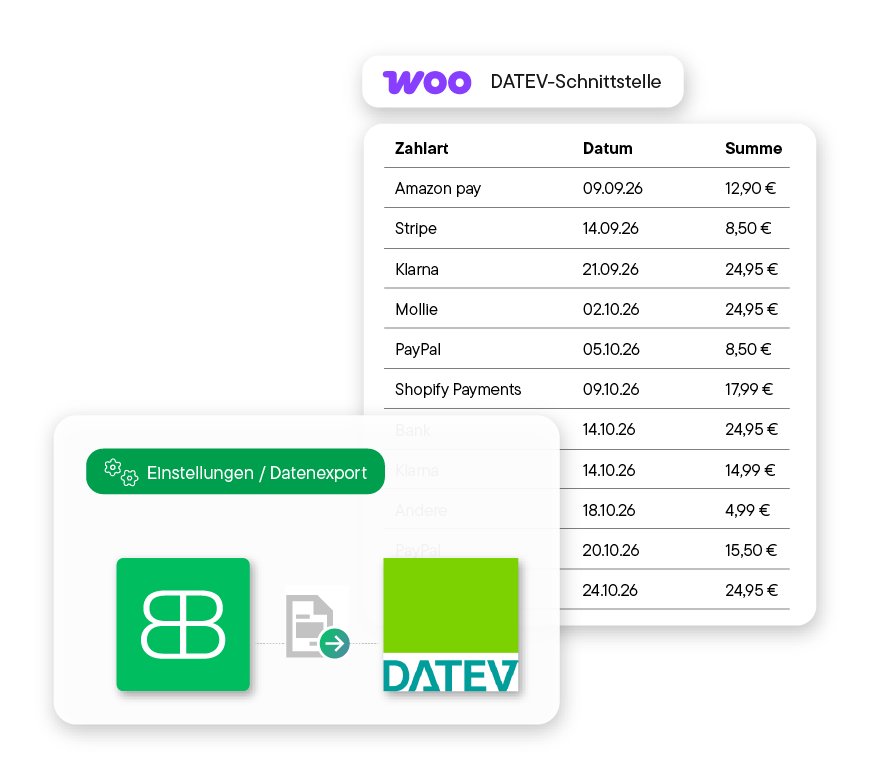
Export your booking data and invoice documents as a DATEV export whenever it suits you, or have them transferred fully automatically via the DATEV booking data service. This saves time and prevents accounting errors.

Includes tax calculation & OSS

Billbee takes the appropriate tax rates for your orders into account – even for EU distance sales under the One-Stop-Shop (OSS) procedure. This way, you don't have to worry about tax-related issues.


What Billbee users are saying

"Billbee is the perfect interface between my shop system and DATEV. Billbee is essential for me to generate order confirmations, delivery notes, and invoices, and to forward them including accounting records to my bookkeeping."
Jörg on OMR Reviews
"The automation rules are very extensive and offer enormous potential for savings without any additional effort. All common marketplaces and shop systems can be connected with ease. The DATEV revenue export saves a lot of time in accounting."
Alexander on OMR Reviews
"Billbee automates our entire invoicing process and ensures a seamless, DATEV-compatible transfer of all relevant accounting data. This eliminates manual steps, duplicate entries, and sources of error. We save time every day, have a clean data basis for our accounting, and can process orders from all channels centrally."
Nathanael on OMR Reviews
In just a few steps

It's that easy to connect WooCommerce & DATEV with Billbee

You can get started with Billbee today, even without technical expertise. Our tutorials and comprehensive manual will help you with the setup.

1. Connect WooCommerce to Billbee

Log in to Billbee and add WooCommerce as a new shop in the settings. Simply enter your shop URL and authorize access.
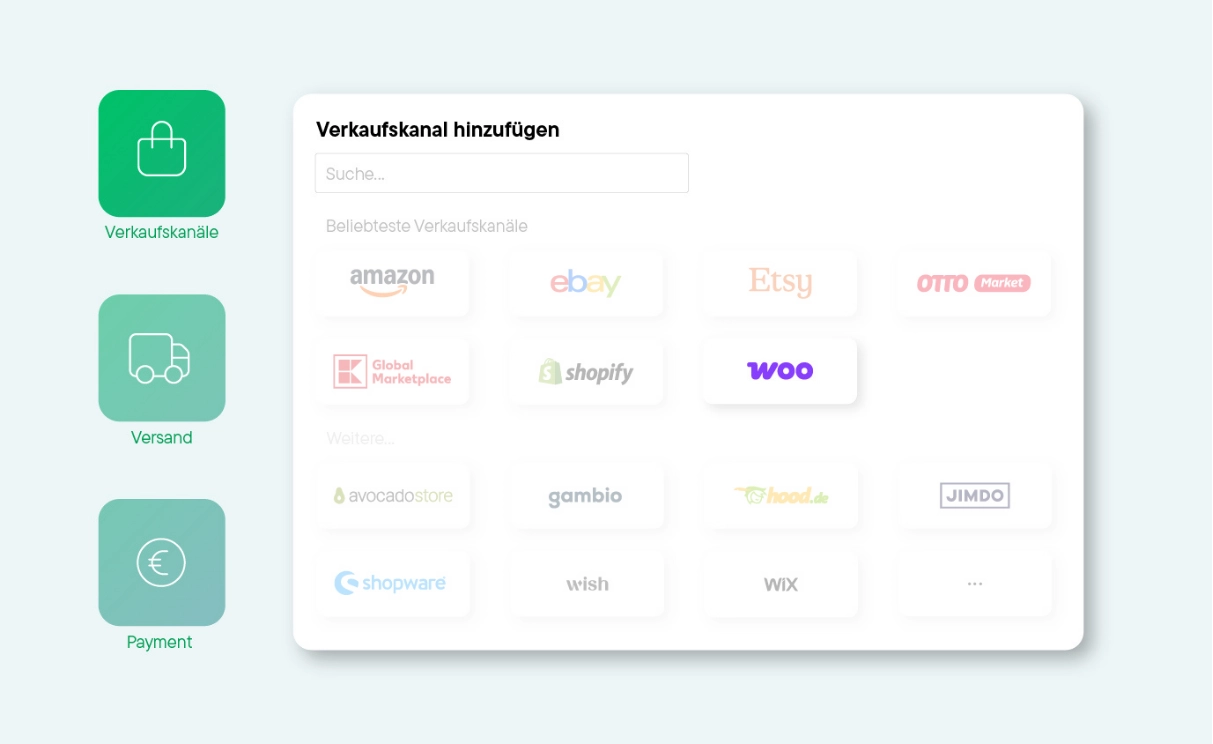
WooCommerce als Verkaufskanal an Billbee anbinden
2. Connect DATEV to Billbee

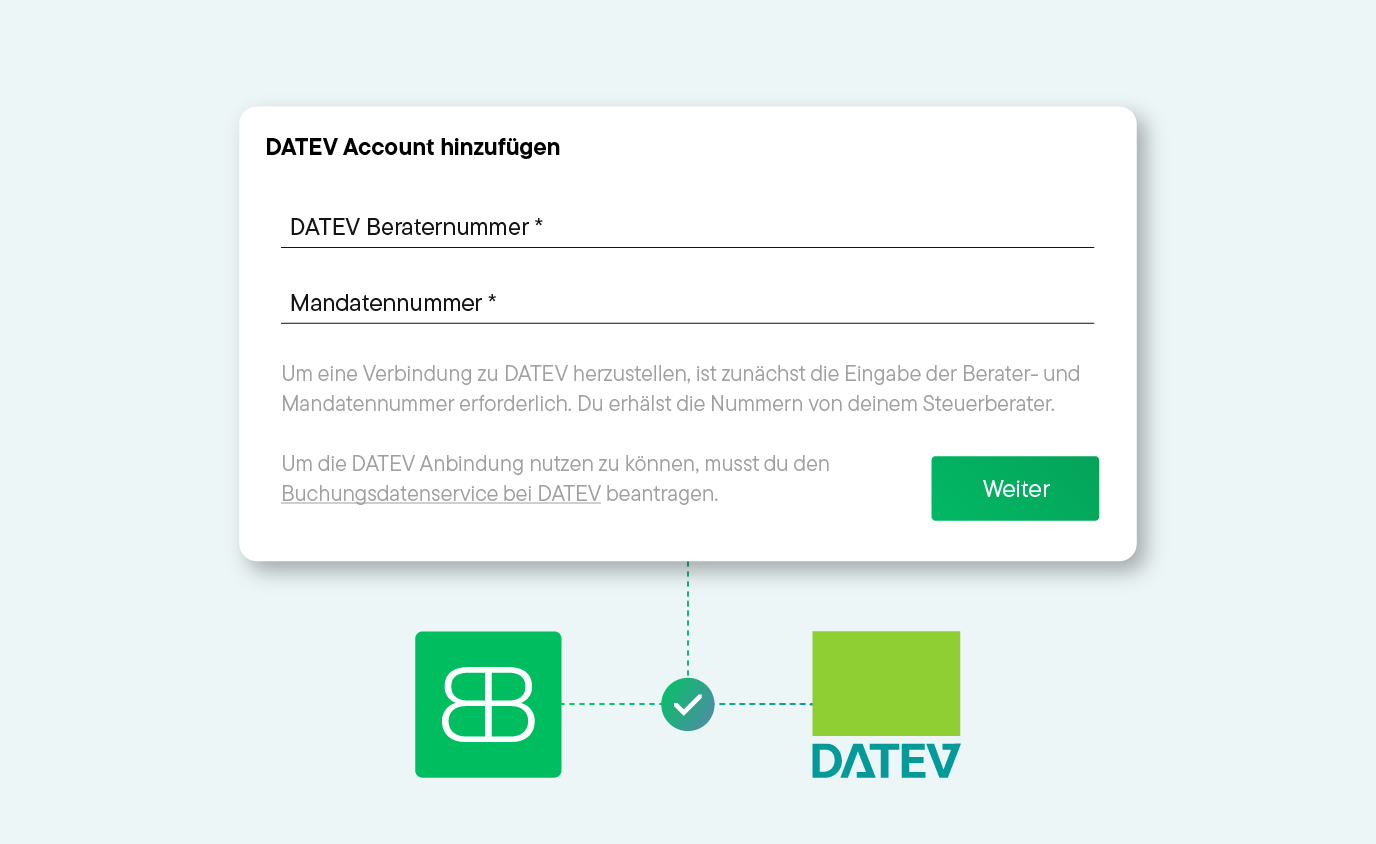
To use the connection to the DATEV booking data service, you must first apply for it with DATEV. As soon as the DATEV booking data service is activated by DATEV, you can get started right away. For the actual connection, you will need your consultant number and client number. If you are already using the DATEV revenue export, you can use the numbers from there. Otherwise, you can get them from your tax advisor.
3. Leave the rest to Billbee

Once WooCommerce and DATEV are connected to Billbee, communication between your shop system and DATEV is established. This allows you to transfer your documents to DATEV automatically – and easily automate many other processes.
Registrierungsformular mit dem Text 'Dein E-Commerce Business noch heute komplett automatisiert', Felder für E-Mail-Adresse und Passwort, grüner Button für 30 Tage kostenlosen Test und Hinweis auf Kontoerstellung in wenigen Schritten.
Try Billbee Today, Completely Risk-Free
Your command center

Billbee is the all-in-one tool for multichannel retailers

Billbee is a simple ERP for WooCommerce and all other connected sales channels. This means you can easily automate all your e-commerce processes – from generating invoices and preparing accounting to shipping. This saves you valuable time every day.

Weißes Cloud-Computing-Symbol mit verbundenen Knoten auf grünem Hintergrund.

Easily connect additional sales channels

In addition to WooCommerce, connect your other sales channels like Amazon, eBay, Etsy, OTTO Market, or Kaufland to Billbee. This brings all your orders together in one central place.

Symbol eines Dokuments mit einem Euro-Symbol, das integrierten Zahlungsabgleich darstellt.

Automated invoice management

Let Billbee handle your invoice management for WooCommerce and all other channels. The system automatically creates invoices, sends them to your customers, archives them in your cloud storage, and uploads them to your marketplaces.

Weißes Symbol einer Lieferbox und eines Lieferwagens auf lila Hintergrund, das effiziente Versandabwicklung darstellt.

Automated shipping processing

Automate the shipping of your WooCommerce orders. Print shipping labels with just a few clicks and send tracking numbers and shipping status updates to your customers with a personal message.

Symbol eines Taschenrechners mit einem Häkchen, der effiziente Zahlungsabgleiche darstellt.

Automatic Payment Reconciliation

Stay on top of your finances: Billbee automatically reconciles incoming payments from bank accounts, PayPal, or Klarna with your open orders.

Central inventory management system

Use Billbee as your central inventory management for WooCommerce and all other sales channels. This brings orders, inventory, and items together in a single interface. Automatic inventory synchronization helps you avoid overselling.

Customer Communication & Documentation

Use automated email templates for customer communication. All relevant documents and order information are stored centrally in the system.
Ready to get started with your online trading?
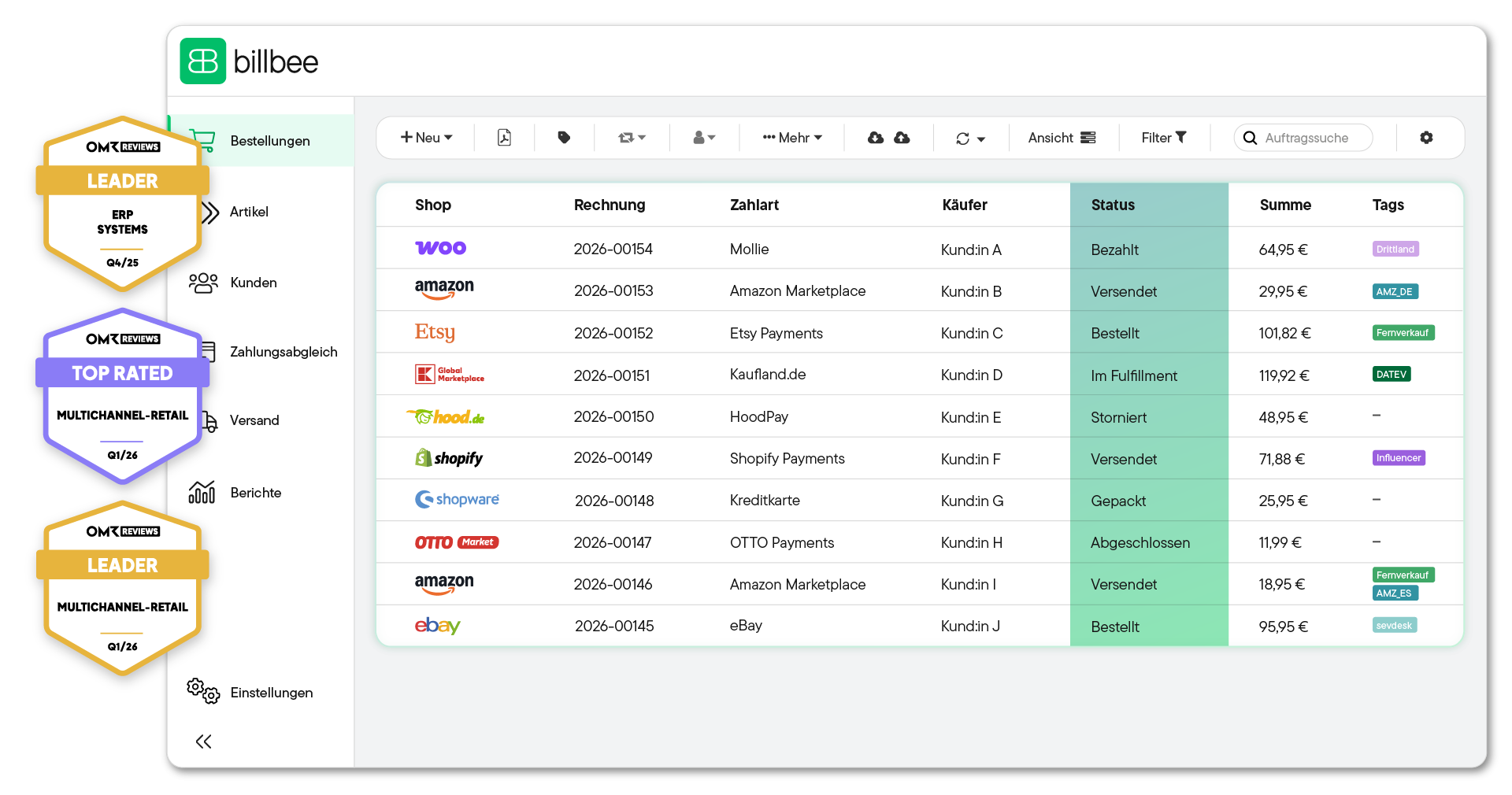
Benutzeroberfläche von billbee mit einer Auflistung von Bestellungen, einschließlich Shop-Logos, Rechnungsnummern, Zahlarten, Käuferkennungen, Status, Beträgen und Tags sowie drei OMR Reviews Auszeichnungen am linken Rand.

Billbee pricing: simple, fair and without fine print

Billbee grows with you. Your month. Costs are purely usage-based — perfect to set the course for your growth.

All inclusive: All features & interfaces can be used immediately
Fair: No minimum term, cancellable on a monthly basis
There for you: Support with guaranteed initial response time
Flat rate: Unlimited number of users at no extra cost
Tool upgrade: Billbee is part of the comrce software hub. Depending on the number of orders, you can therefore use additional tools for free!

How many orders do you have
per month?

Bestellanzahl
i
Bestellungen werden als alle in Billbee angelegten oder importierten Bestellungen und Erstattungen, Stornorechnungen & Gutschriften definiert.
0 ∞
0
Total price per month: 9€
From 200 orders, you also get:
Tools for inventory management & customer support. ↓
Test now without obligation
No credit card required · Trial ends automatically
In addition to Billbee, you have depending on the number of your months. Orders additional tools included
Billbee Starter

up to 200 orders

Billbee in full
  • All functions & interfaces included
  • Can be cancelled monthly (no minimum term)
  • Unlimited number of users
  • Free email support with service promise
  • 24/7 cloud availability
additionally included
Amainvoice - Amazon Accounting
If Amainvoice is actively connected, Billbee does not charge any fees for your Amazon orders.
Billbee Growth

from 200 orders

Billbee in full
  • All functions & interfaces included
  • Can be cancelled monthly (no minimum term)
  • Unlimited number of users
  • Free email support with service promise
  • 24/7 cloud availability
additionally included
Amainvoice - Amazon Accounting
If Amainvoice is actively connected, Billbee does not charge any fees for your Amazon orders.
VentoryOne - warehouse & inventory management
You get full access to VentoryOne for your warehouse management at no extra charge.
Replyco - E-Commerce Help Desk
Replyco is available to you free of charge as a software solution for customer support.

Frequently asked questions about the WooCommerce & DATEV integration

Hier findest du Antworten auf die wichtigsten Fragen rund um Billbee als E-Commerce-Middleware. Wenn noch etwas offen bleibt, hilft dir unser Support oder unsere Community gerne weiter.

How can I connect WooCommerce and DATEV?

With Billbee, it takes three steps: First, connect WooCommerce to Billbee, then link the DATEV Buchungsdatenservice, and let Billbee handle the automatic transfer to DATEV.

Can I connect WooCommerce to DATEV without middleware?

There are specialized export plugins that allow you to transfer data from WooCommerce to DATEV. The major drawback: automatic payment reconciliation is usually missing, meaning you have to manually match your incoming payments with your orders. Middleware like Billbee consolidates all data streams, automatically assigns incoming payments to orders, and prepares the data in a clean format for DATEV.

How long does it take to set up the WooCommerce-DATEV integration?

The connection usually takes just a few minutes, as Billbee has built-in interfaces for both DATEV and WooCommerce. Please note that the DATEV Buchungsdatenservice must first be activated on the DATEV side.

Which payment providers can I connect to Billbee?

For payment reconciliation, you can connect bank accounts via finAPI, as well as PayPal, Amazon, Amazon Pay, Klarna, Stripe, Shopify Payments, and Mollie, among others.

Can I automate my entire accounting with Billbee?

Billbee is not an accounting tool. It serves as an interface to DATEV (or other accounting solutions like Lexware Office or sevdesk). Billbee prepares your documents correctly so you can easily import them into DATEV or transmit them automatically. This helps you bring order to accounting chaos, save time, and avoid costly mistakes.

How can I transfer my data to DATEV?

There are two ways to transfer your data to DATEV using Billbee. Option 1: Export your booking data as a DATEV revenue export or your payments as a DATEV payment export from Billbee and then import them into DATEV. Option 2: Use the DATEV Buchungsdatenservice. This allows your revenue and invoice documents to be transferred to DATEV automatically.

How much does Billbee cost as an interface to DATEV?

Billbee starts at €9 per month. There is also a small fee per processed order. The base fee includes all features and interfaces. This means you can use Billbee not only as middleware for DATEV but also for other sales channels or shipping service providers to automate your entire e-commerce operation.