Intuitive Invoicing Software

Automatically create & send Etsy invoices

Automatically create e-invoices with all mandatory details
Easily customize your layout
Automatically archive invoices
Try it now with no obligation
No credit card information required. The trial period ends automatically.
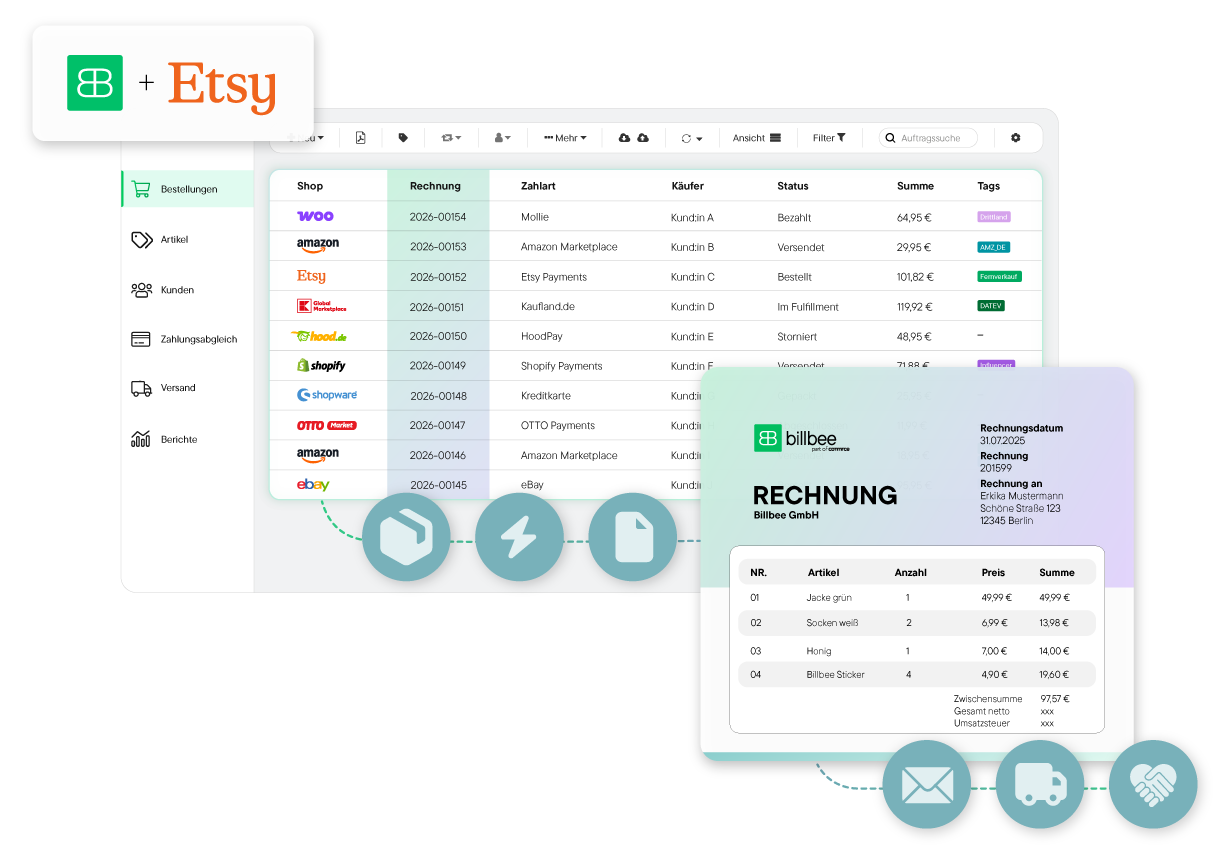
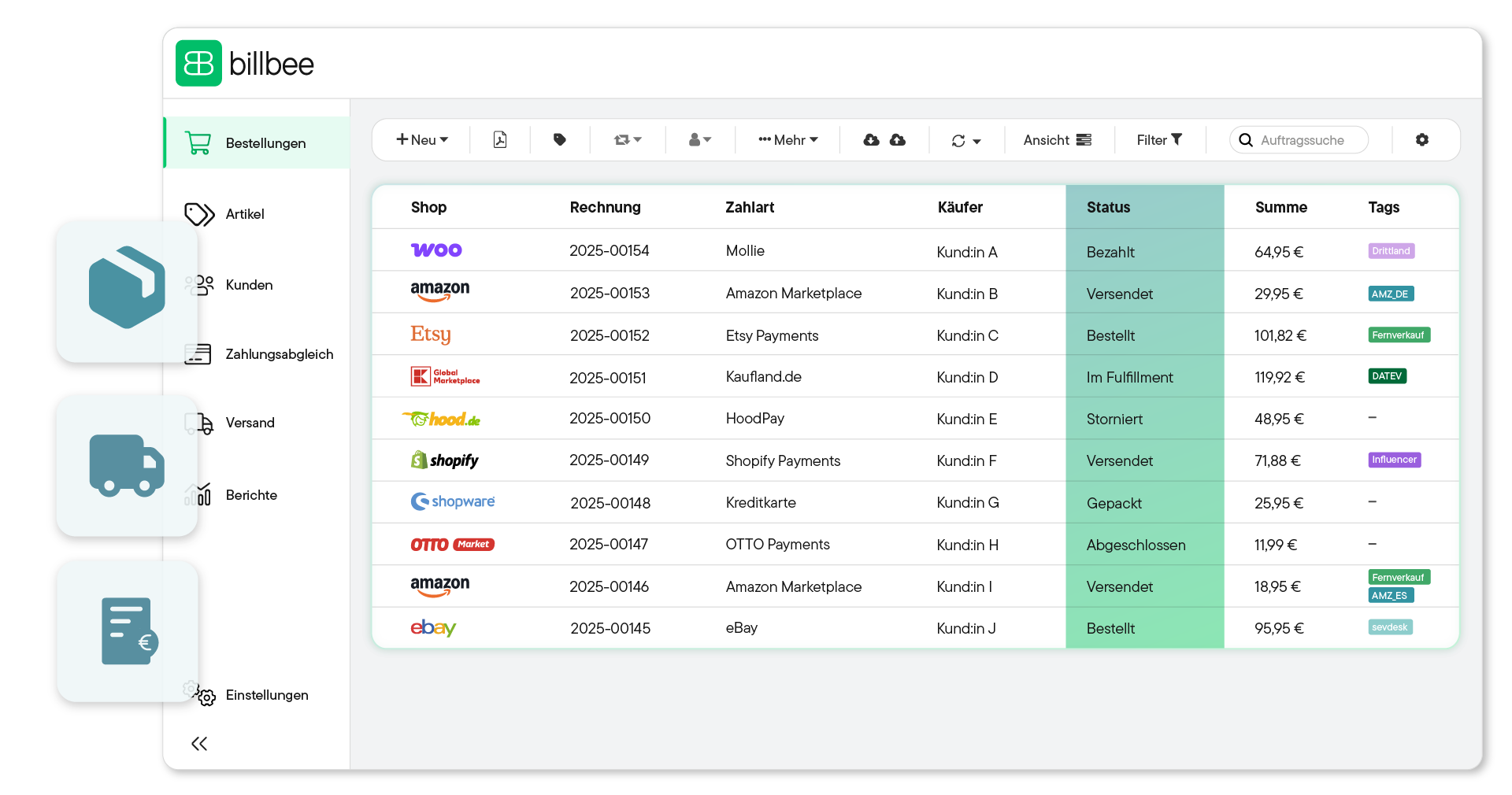
Benutzeroberfläche von Billbee mit einer Tabelle der Bestellungen aus verschiedenen Shops, inklusive Rechnungsnummer, Zahlart, Käufer, Status, Summe und Tags; daneben ein Balkendiagramm mit Berichten für Do und Fr.
Over 20,000 Online Sellers Use Billbee
Automate Your Invoices

Billbee is your invoicing tool for Etsy

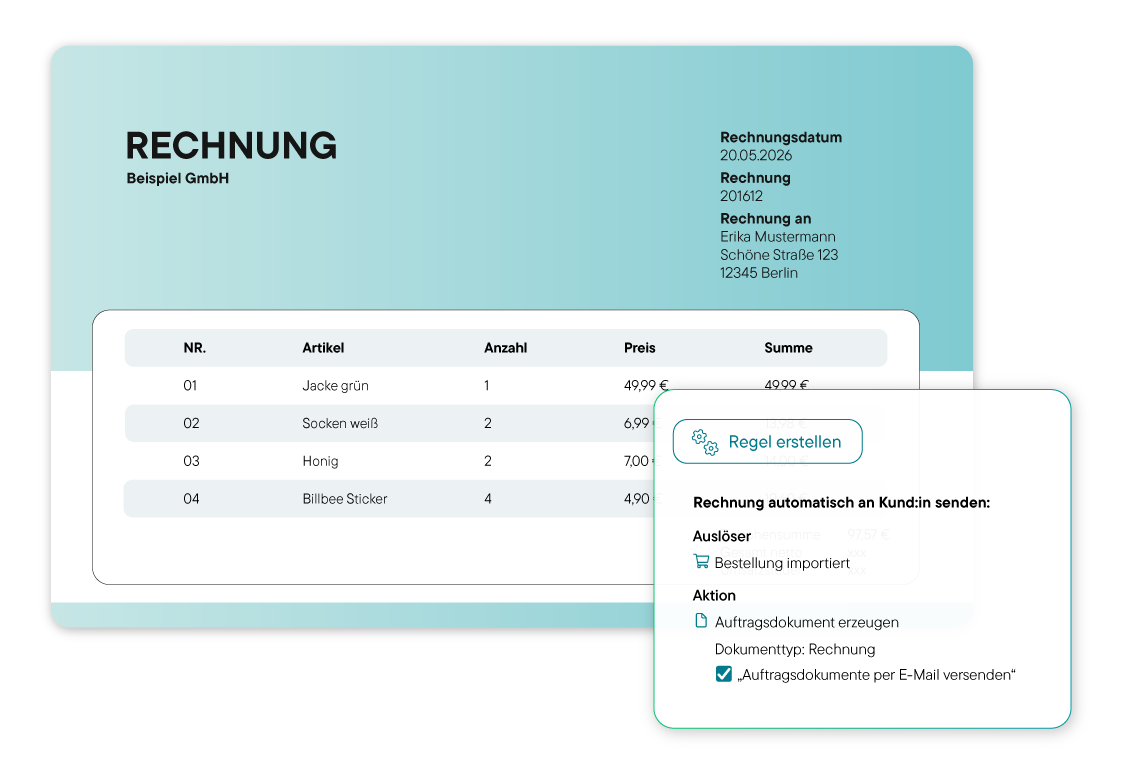
Automatisch erstellte Rechnung mit allen Pflichtangaben und einer Regel, die die Automatisierung definiert
Automatically generate (e-)invoices

With Billbee, automatically create a legally compliant invoice for every Etsy order.

Send invoices directly to customers

Automatically send invoices to your customers via email. You can fully customize the messages using numerous placeholders.

Customize your layout with the editor

With the layout editor, customize the appearance of your invoices exactly to your preferences.

Automatic upload to Etsy

Automatically upload your generated invoices from Billbee to Etsy. This saves you tedious work and gives you more time for your Etsy shop.

Integration with your accounting

Transfer all your Etsy sales data and generated invoices to your tax software with a click (e.g., sevdesk, Lexware Office, or DATEV). This saves you tedious preparation time and avoids errors.

Invoice archive in cloud storage

The legal retention period for your invoices is long. Billbee archives all generated Etsy invoices in your connected cloud storage. This way, you meet all legal requirements and have access to all your invoices at any time.

Übertragung der Rechnungen an Buchhaltungssysteme zur vorbereitenden Buchhaltung sowie automatischer DATEV Export
In just a few steps

How to automate your invoices with Billbee

You don't need any IT knowledge to automate your invoicing with Billbee. Get started right away and save valuable time.

1. Set up a custom layout

Before you get started, go to Settings to upload your logo, enter your company information, and select your preferred font. Once you've set these up, Billbee will automatically use this template for all future invoices.

Billbee Oberfläche zur Erstellung eines individuellen Rechnungslayouts
2. Automate Invoicing

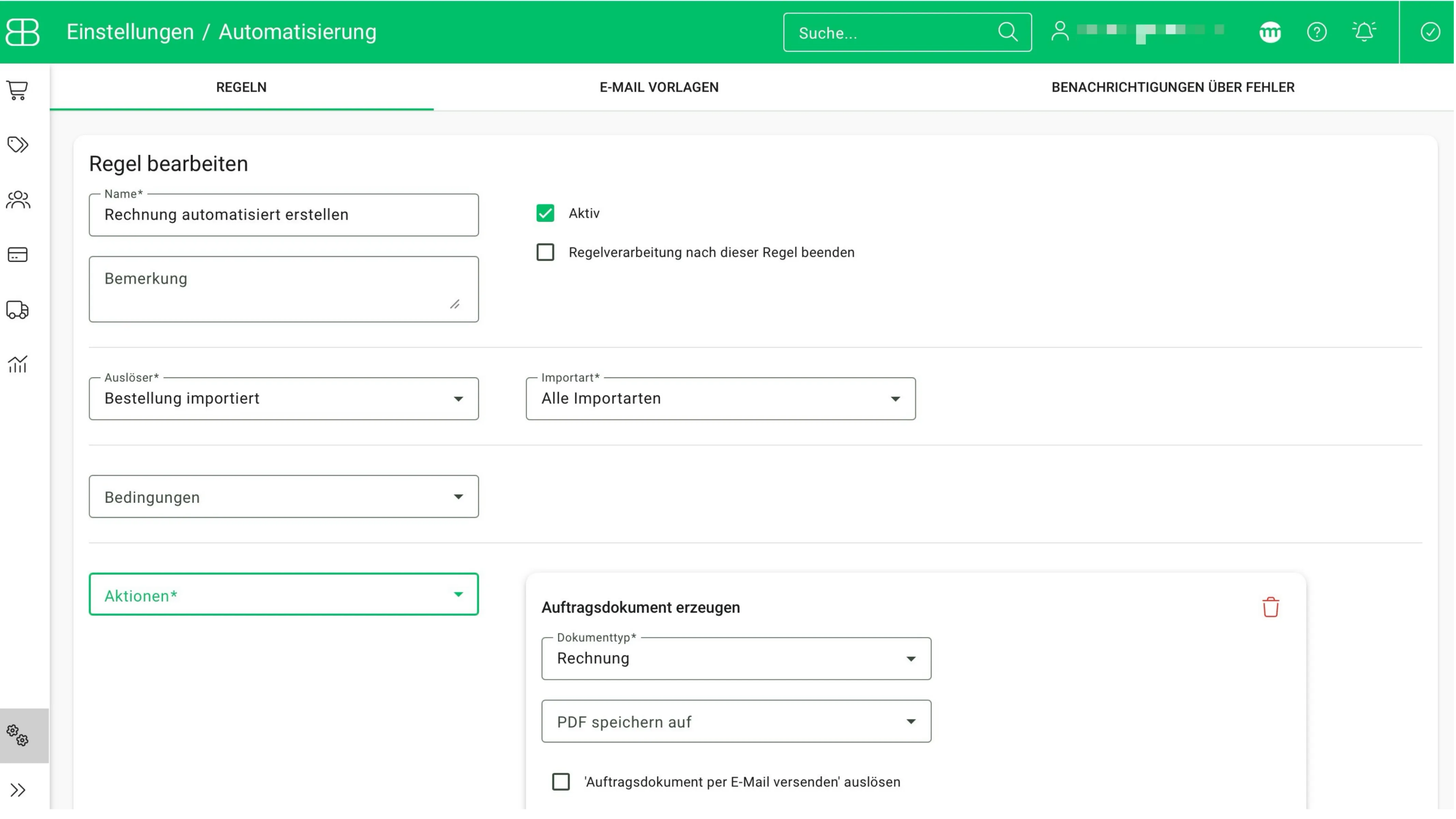
In Billbee, automations always run based on rules. So, to have your invoices generated automatically from now on, you’ll need to create a custom rule for this. Simply create it under “Automation” in the “Rules” tab. Here, set the trigger to “Order imported” and the action to “Create order document” with “Invoice” as the document type. This way, the system knows exactly when to create an invoice.

Billbee Oberfläche zur Erstellung einer Regel für die automatische Rechnungserstellung
3. Automate Invoice Processing

Step 2 ensures that your invoices are generated automatically, but it does not yet ensure that they are sent to your customers automatically. To do this, first create a custom notification message. To do so, go to the “Automation” section under “Email Templates,” create a custom message, and save the template.

Billbee Oberfläche zur Erstellung einer individuelle Benachrichtigung beim Rechnungsversand

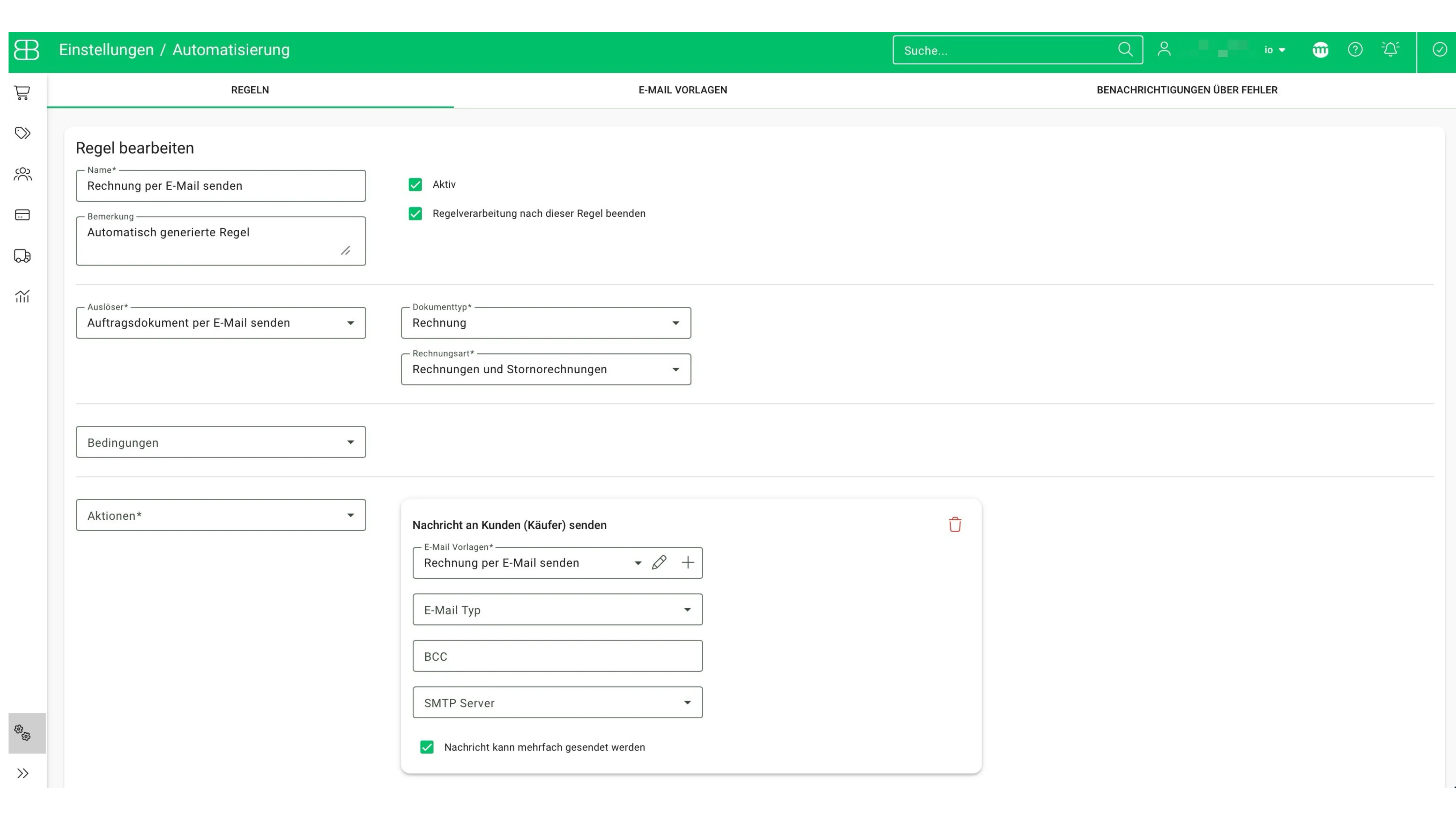
Next, create a second rule for automatically sending your invoices. A rule like this is already set up by default in your Billbee account. However, you can still customize it—for example, by linking the notification text you created earlier and specifying a BCC email address that receives all sent invoices.

Billbee Oberfläche zur Erstellung einer Regel für den automatischen Rechnungsversand
Test now for 30 days without obligation!
Bestellübersicht in der billbee Software mit Shops, Rechnungsnummern, Zahlarten, Käufern, Bestellstatus, Summen und Tags.
Automate Your E-Commerce

Much more than invoicing software: Billbee is your all-in-one tool for Etsy

Automatic invoicing is just the beginning. As a complete e-commerce solution, Billbee goes far beyond writing and sending Etsy invoices. It bundles all time-consuming order processing steps – from accounting to shipping – into a single system.

Symbol eines Taschenrechners mit einem Häkchen, der effiziente Zahlungsabgleiche darstellt.
Automatic Payment Reconciliation

Connect your bank, PayPal, and more with Billbee. Billbee automatically assigns incoming payments to the corresponding Etsy orders. This ensures complete documentation and significantly simplifies your monthly accounting.

Weißes Symbol einer Lieferbox und eines Lieferwagens auf lila Hintergrund, das effiziente Versandabwicklung darstellt.
Efficient Shipping Management

Create shipping labels for all common service providers (DHL, DPD, Hermes, etc.) directly from Billbee. The tracking number is automatically sent to your customers and to Etsy.

Zwei Zahnräder, ein großes weißes und ein kleineres grünes auf grünem Hintergrund.
Centralized Inventory Management

Keep track of your inventory on Etsy and all other channels. Billbee automatically synchronizes quantities, effectively preventing you from selling items that are no longer in stock.

Multichannel Capability

Sell effortlessly on other marketplaces like Amazon and eBay or through your own online shop (e.g., Shopify, WooCommerce, Shopware). Billbee creates and manages invoices for all your sales platforms from a single dashboard.

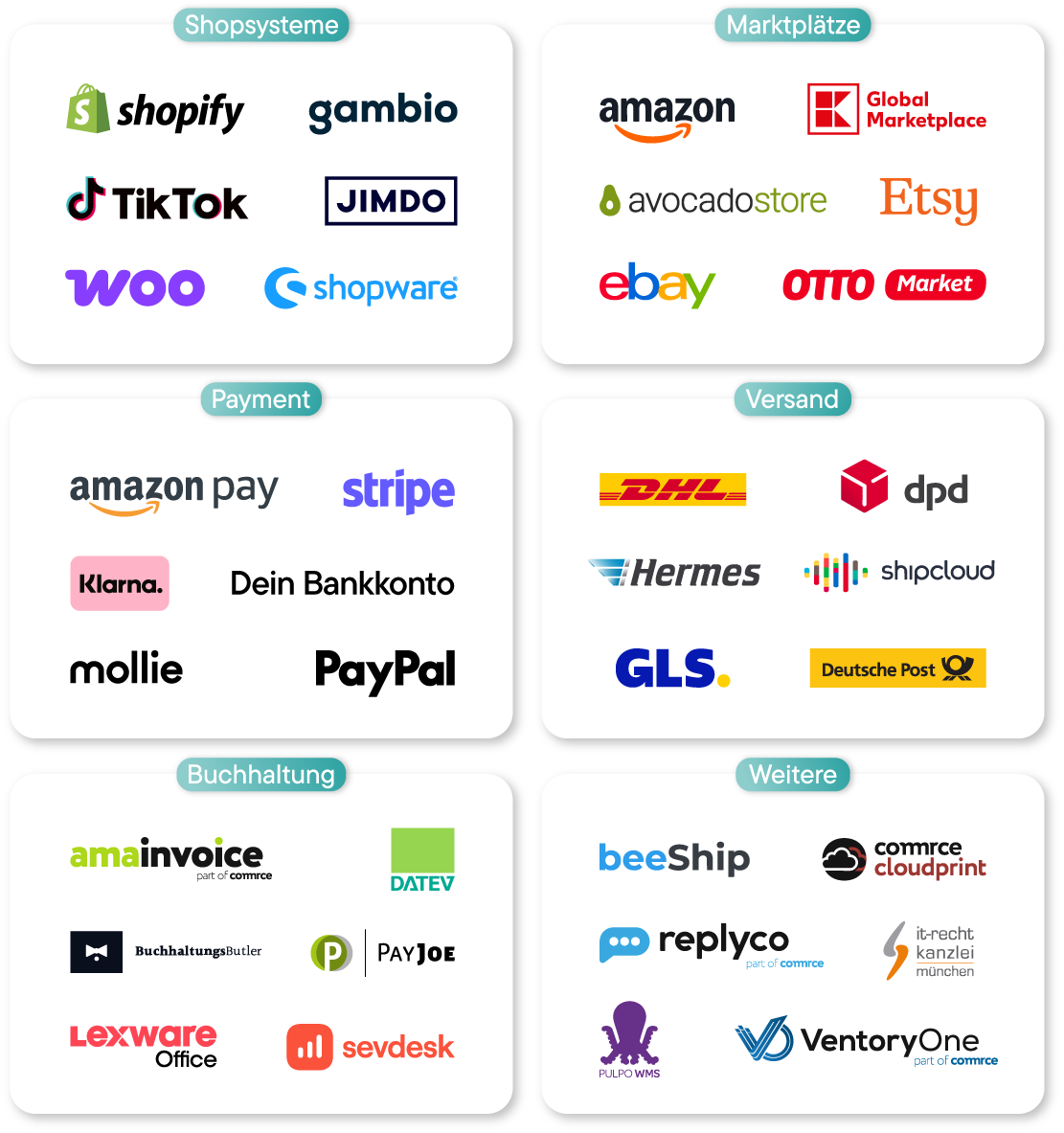
Connect Billbee to over 150 interfaces
Grafik zeigt ein Laptop mit Billbee Bestellübersicht, umgeben von Kategorien mit Logos: Shopsysteme (Shopify, Shopware, Gambio, Jimdo, TikTok, Woo), Marktplätze (Amazon, eBay, Global Marketplace, Otto Market, Etsy, Avocado Store), Payment (Bankkonto, Klarna, Stripe, PayPal, Mollie, Amazon Pay), Buchhaltung (BuchhaltungsButler, Amainvoice, Datev, Sevdesk, Lexware, PayJoe), Versand (DHL, Shipcloud, Hermes, GLS, Deutsche Post, DPD) und Weitere (beeShip, Commerc Cloudprint, IT-Recht Kanzlei München, Pulpo WMS, Replyco, VentoryOne).Logos von Shopsystemen, Marktplätzen, Zahlungsanbietern, Versanddienstleistern, Buchhaltungssoftware und weiteren Dienstleistern in sechs Kategorien.

Billbee pricing: simple, fair and without fine print

Billbee grows with you. Your month. Costs are purely usage-based — perfect to set the course for your growth.

All inclusive: All features & interfaces can be used immediately
Fair: No minimum term, cancellable on a monthly basis
There for you: Support with guaranteed initial response time
Flat rate: Unlimited number of users at no extra cost
Tool upgrade: Billbee is part of the comrce software hub. Depending on the number of orders, you can therefore use additional tools for free!

How many orders do you have
per month?

Bestellanzahl
i
Bestellungen werden als alle in Billbee angelegten oder importierten Bestellungen und Erstattungen, Stornorechnungen & Gutschriften definiert.
0
0
Total price per month: 9€
From 200 orders, you also get:
Tools for inventory management & customer support.
Test now without obligation
No credit card required · Trial ends automatically
In addition to Billbee, you have depending on the number of your months. Orders additional tools included
Billbee Starter

up to 200 orders

Billbee in full
  • All functions & interfaces included
  • Can be cancelled monthly (no minimum term)
  • Unlimited number of users
  • Free email support with service promise
  • 24/7 cloud availability
additionally included
Amainvoice - Amazon Accounting
If Amainvoice is actively connected, Billbee does not charge any fees for your Amazon orders.
Billbee Growth

from 200 orders

Billbee in full
  • All functions & interfaces included
  • Can be cancelled monthly (no minimum term)
  • Unlimited number of users
  • Free email support with service promise
  • 24/7 cloud availability
additionally included
Amainvoice - Amazon Accounting
If Amainvoice is actively connected, Billbee does not charge any fees for your Amazon orders.
VentoryOne - warehouse & inventory management
You get full access to VentoryOne for your warehouse management at no extra charge.
Replyco - E-Commerce Help Desk
Replyco is available to you free of charge as a software solution for customer support.
In just a few steps

Setting up Billbee is easy

With Billbee, you can get started today—even without any technical know-how. Our tutorials, comprehensive documentation, and more will help you get set up.

Sign up—it's 100% non-binding

Sign up for your Billbee account and start the trial period without providing any payment information. The trial period ends automatically—no need to cancel!

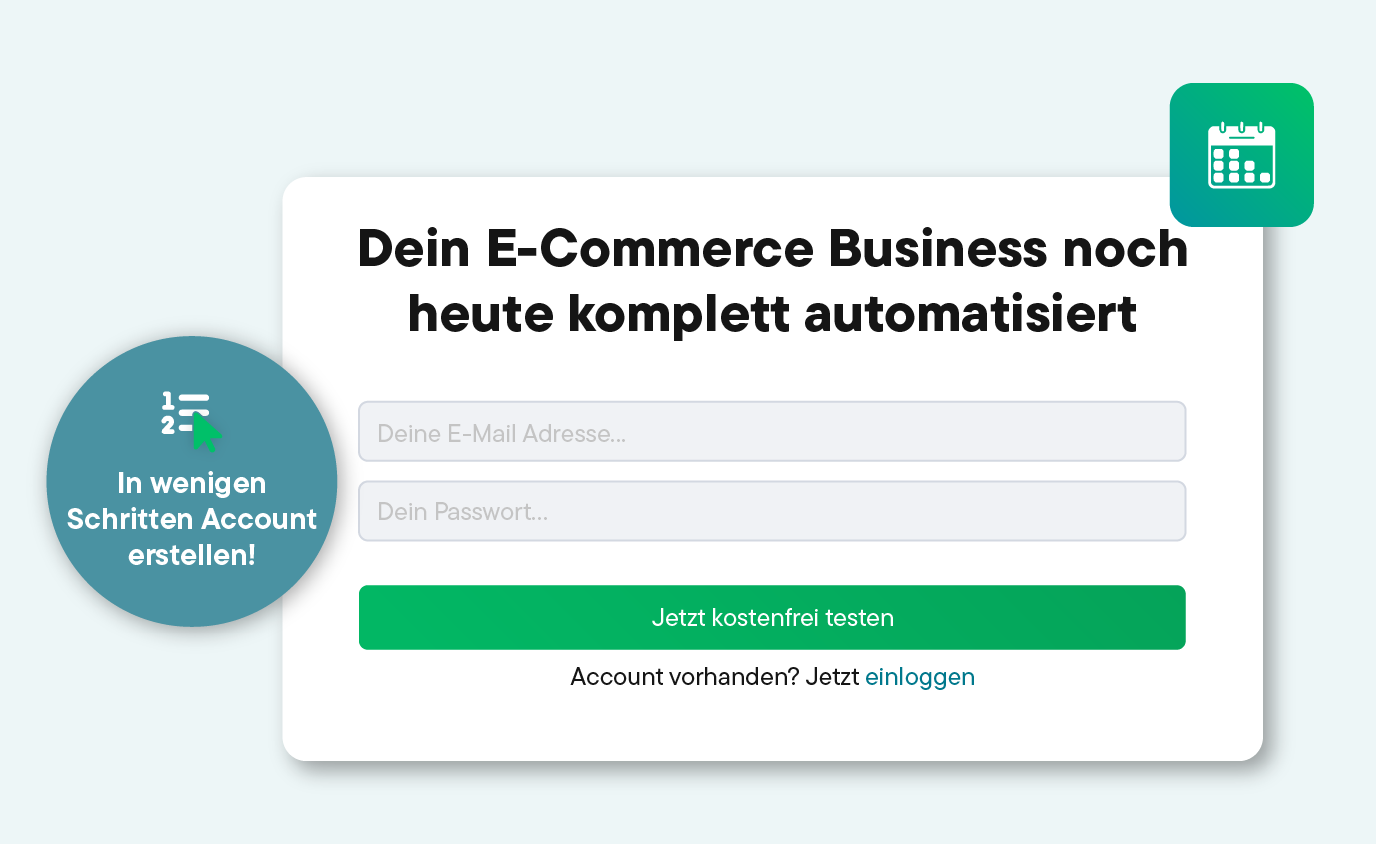
Registrierungsformular mit dem Text 'Dein E-Commerce Business noch heute komplett automatisiert', Felder für E-Mail-Adresse und Passwort, grüner Button für 30 Tage kostenlosen Test und Hinweis auf Kontoerstellung in wenigen Schritten.
Integrate Shops, Marketplaces, Shipping Services, and More

Connect your online stores, marketplaces, shipping providers, etc., to Billbee and start importing your orders.

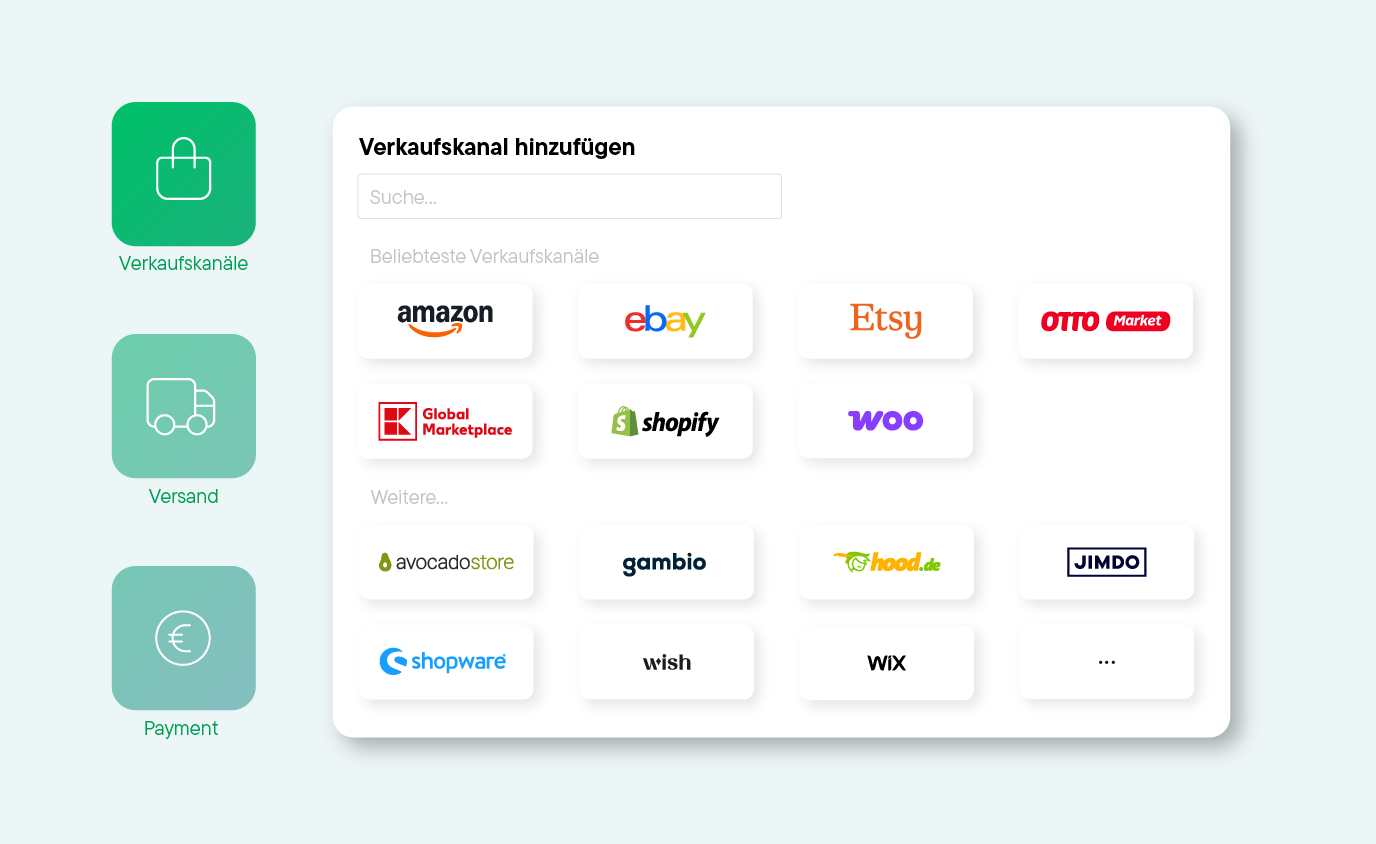
Bildschirmansicht zum Hinzufügen von Verkaufskanälen mit Logos von Amazon, eBay, Etsy, OTTO Market, Global Marketplace, Shopify, Woo, Avocado Store, Gambio, hood.de, Jimdo, Shopware, Wish und Wix.
Get started right away and use all the features

Whether manually or automatically: Start managing your products and processing orders right away. See for yourself how quickly you can save time with Billbee!

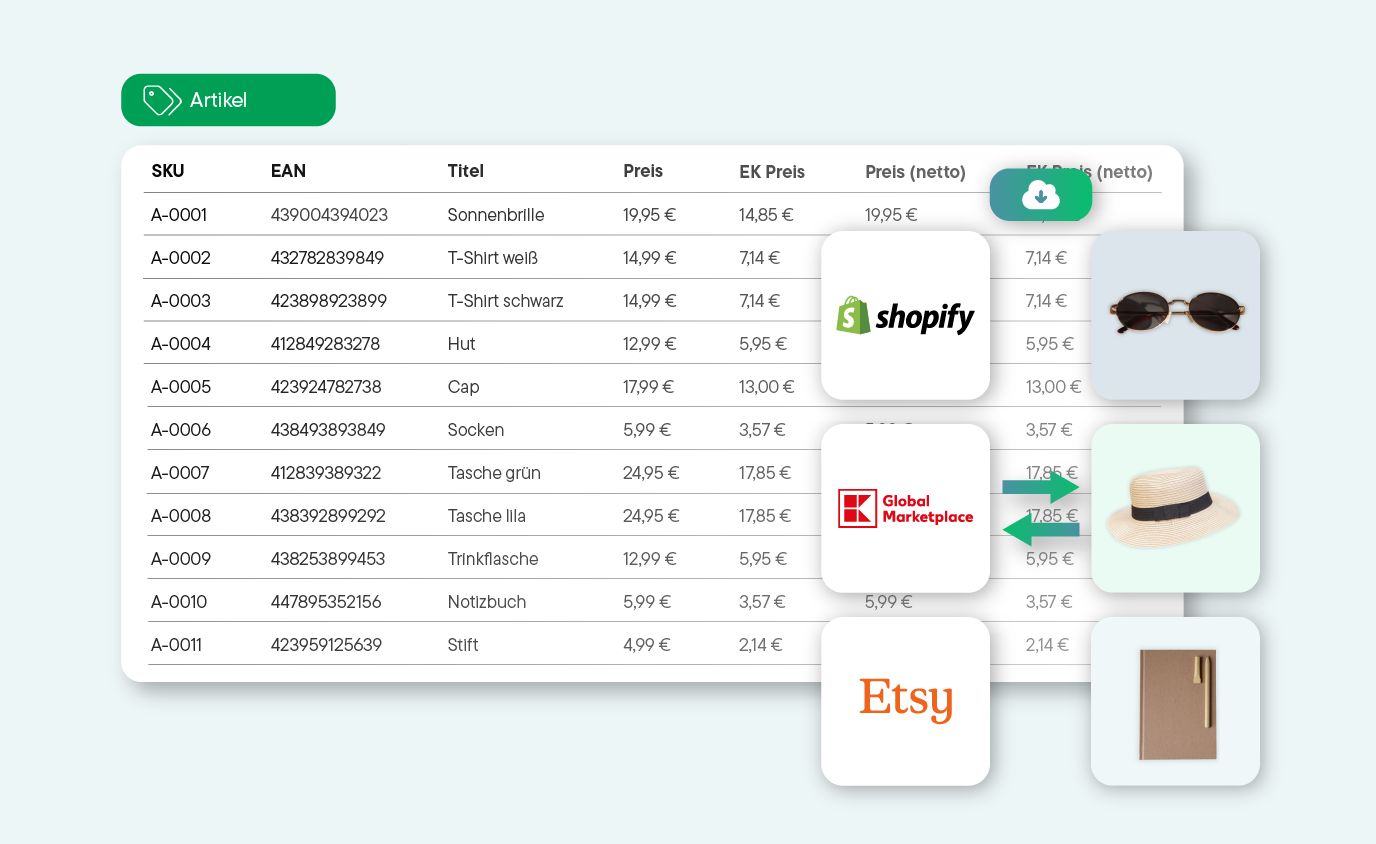
Tabelle mit Produktdaten wie SKU, EAN, Titel und Preisen für Sonnenbrille, T-Shirts, Hut, Cap, Socken, Taschen, Trinkflasche, Notizbuch und Stift, daneben Logos von Shopify, Global Marketplace und Etsy mit Produktbildern von Sonnenbrille, Hut und Notizbuch.
Try Billbee Today, Completely Risk-Free
#happyselling experience

Insights From Online Sellers Whose Daily Routines Have Already Been Transformed by Billbee

Kinderspielzeug-Kaufladen mit hölzernem Regal, buntem Wimpel, Stoffaffe, Vase mit Blumen und Spielzeug auf weißer Wand mit grün-weiß gestreiftem Markisenaufkleber.

"Billbee effortlessly bundles our orders from all channels, providing us with the exact workflows we need as a growing children’s label. The automations make our day-to-day operations noticeably easier, giving us more time for what we love most: turning simple IKEA products into cherished favorites for families everywhere.

Frau mit makelloser Haut trägt goldene Ohrringe, Halskette und mehrere filigrane goldene Ringe an den Fingern vor beigem Hintergrund.

We’ve been using Billbee for a while now and are truly impressed. The user interface is clearly designed and intuitive to use—even new team members find their way around quickly. We are especially convinced by the automation: orders, invoices, and inventory management run smoothly and save us a tremendous amount of time in our daily operations.

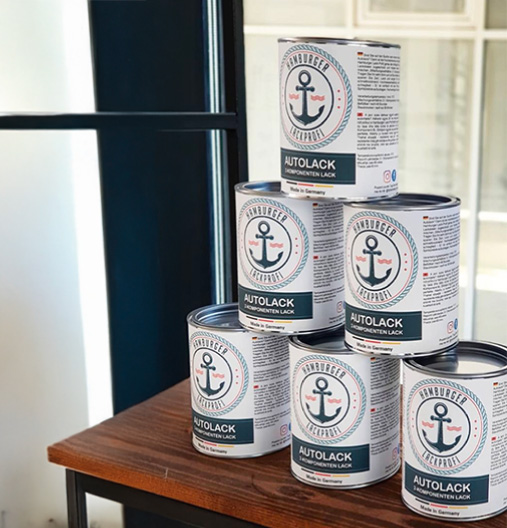
Sechs Dosen Hamburger Autolack, stapelt auf einem Holztisch vor einem Fenster.

We’ve been using Billbee since 2017 and have truly grown alongside the platform. It is incredibly easy to onboard new employees, and Billbee has allowed us to scale our operations seamlessly.

Frau hält eine Schlafmaske mit floralem Muster vor ihre Augen, vor braunem Hintergrund.

When I first became subject to sales tax, I was worried I’d have to spend hours every week manually writing invoices. Fortunately, Billbee takes care of everything: invoices are created and sent to customers automatically, and tracking numbers are transmitted directly back to Etsy and Shopify.

Zwei Flaschen Schorlefranzi Bio-Schorle, eine rosé und eine weiß, auf Eiswürfeln vor verschwommenem Blumenhintergrund.

As a small company, we grew fast—and Billbee simply grew with us, completely behind the scenes. No bells and whistles, just a system you can truly rely on.

Frequently Asked Questions

Here you'll find answers to the most important questions about invoicing for Etsy and Billbee. If you still have questions, our support team or community will be happy to help.

Do I need to issue invoices as an Etsy seller?

It depends: As long as you only private sale you sell, invoices are not mandatory. So, if you're just topping up your pocket money every few weeks with your hand-poured candles, you don't need to worry.

However, once you are operating commercially on Etsy, you must issue an invoice .This is essential for your own bookkeeping and tax returns. Furthermore, you are obligated to provide business customers with an invoice for every purchase. If you sell to private customers, you are required to send invoices upon request. However, it appears much more professional if you include all payment documents with every purchase, saving your customers the hassle of having to request their invoice from you.

What should be included on my Etsy invoices?

The same rules apply to your Etsy invoices as to all other invoices. This means their form and content are strictly regulated by law. Therefore, every Etsy invoice must contain the following information:

  • Date of issue
  • Name and address of the seller
  • Name and address of the buyer
  • Sequential invoice number
  • Description of services, or quantity and type of goods delivered
  • Net amount
  • Tax rate
  • VAT amount
  • Gross amount
  • Bank details

Important for small business owners: If you use the small business regulation according to §19 UStG, the invoice must also include a corresponding note about the exemption from VAT. An exception applies to invoices for small amounts (under €250): Theoretically, the issue date and the gross amount are sufficient here. However, even in such cases, it looks more professional if you issue a complete invoice.

Important for digital products: If you sell digital products, Etsy may handle the remittance of VAT to the relevant EU countries (OSS procedure). In these cases, you issue the invoice to Etsy and not to your customers. Billbee helps you correctly manage these complex situations.


Can I also issue invoices with Etsy?

Unfortunately not. Buyers only receive a confirmation from the platform with the key details of their purchase. So, Etsy cannot create a real invoice.

Can I create Etsy invoices manually?

Theoretically, yes. However, if you write your invoices by hand, that means a lot of extra work for you. Furthermore, manually creating invoices always carries the risk of errors.

With an invoicing tool, you ensure that your invoices are legally compliant, i.e., error-free, created, and sent directly to your customers. With Billbee you can create your Etsy invoices both manually and automatically .

How long does the setup take?

To create your invoices with Billbee, connect your Etsy shop to Billbee. This usually only takes a few minutes. After that, you can start right away and create your invoices for Etsy orders manually or automatically.

For automation , you should ideally set up an invoice layout once with your logo and company details. After that, you create a rule for automatic invoice generation, customize the description text, and set up a second rule for automatic invoice dispatch. The entire setup usually takes less than an hour – and immediately saves valuable working time every day.

What does Billbee cost as an invoicing tool for Etsy?

Instead of expensive fixed packages, you pay a small monthly fee of €9, which already includes all features and integrations. Further costs are flexibly based on your actual order volume. This way, Billbee remains cost-efficient even during seasonally weaker periods.

For the monthly fee, you can use Billbee to its full extent – meaning you can not only automate your invoices but also your entire order processing (from payment reconciliation and shipping to customer communication) and manage your inventory.