

Cancellations
Easily create credit notes in Billbee
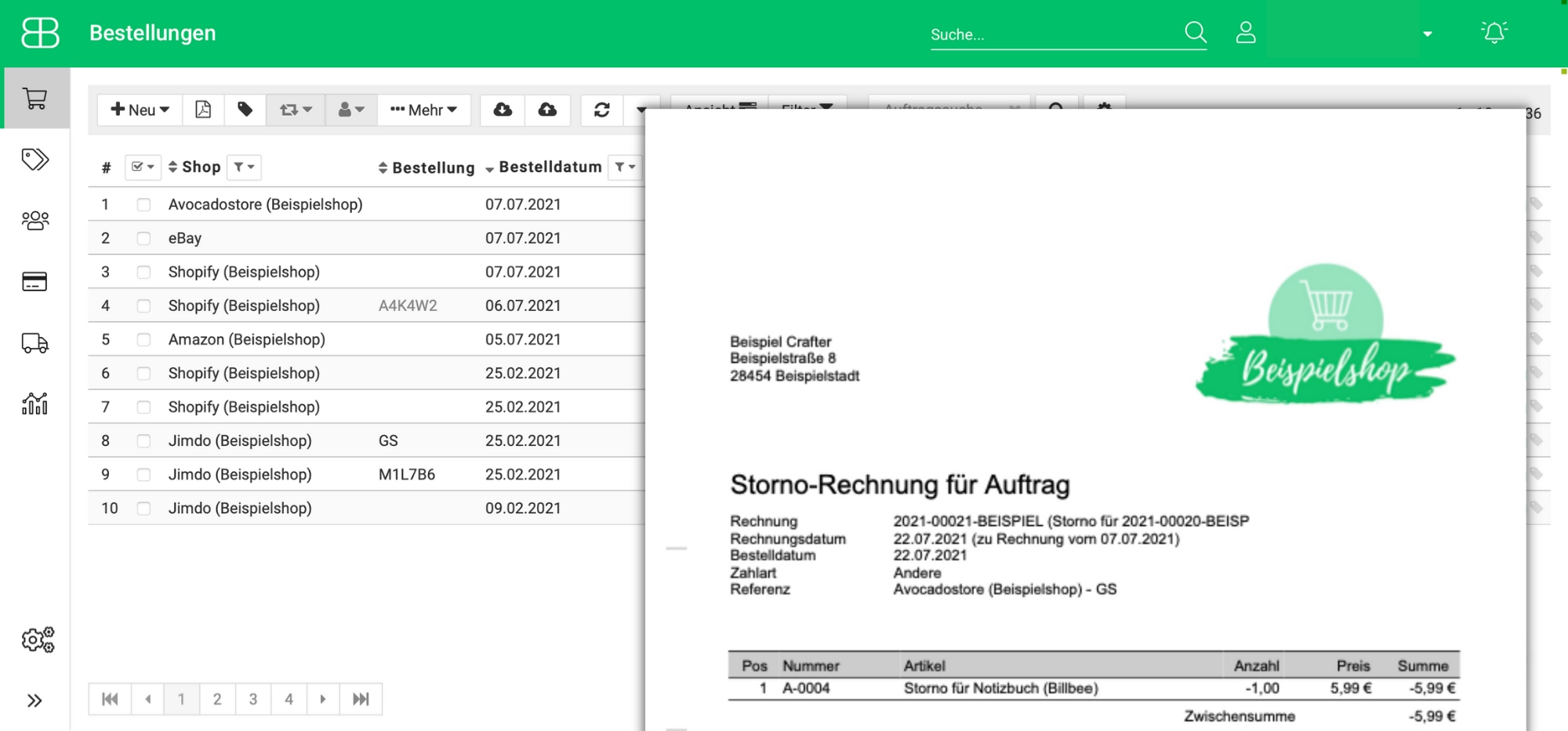
Simply select the order you want to cancel and then specify whether you want to cancel all order items or just a portion of them. Once that's done, Billbee automatically generates your credit note.
Send credit notes manually or automatically
Once the invoice has been cancelled, it still needs to reach your customer. You have the option to send the credit note to your customer manually or via rules to automate the process.
With an automation rule in place, the credit note is sent automatically as soon as you change the order status. You can customize the email text in advance and personalize it using placeholders.
Customize credit notes to match your branding
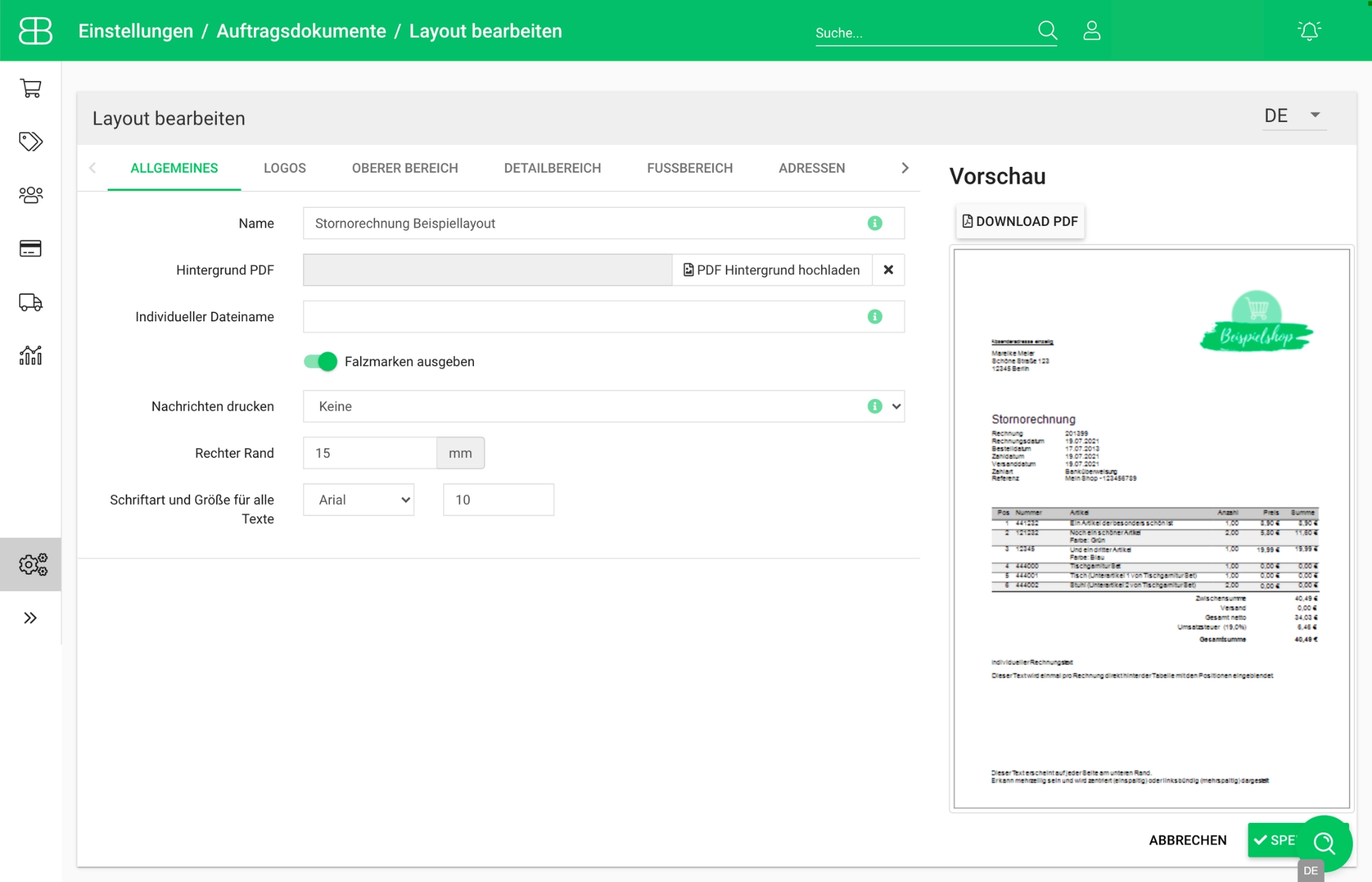
Adapt the layout of your credit notes to match your shop design. Use the layout editor to add your logo and adjust the font size and style
The layout editor features a live preview function, allowing you to see exactly how your settings affect the layout of your credit notes in real time.
Frequently Asked Questions about Cancellation Invoices
How do I create a cancellation invoice in Billbee?
If an invoice has already been created, select the relevant order in the order overview and click More > Cancel. Check whether the stock level should be adjusted, then click Save and create invoice. Billbee will generate the cancellation invoice, which will be linked to the original order. If no invoice has been created yet, it is usually sufficient to simply set the order status to "cancelled".
Can I also have the cancellation invoice stored automatically?
Yes, set up an invoice archive for this and enable automatic archiving. Copies of generated invoices, including credit notes, will then be saved to your connected cloud storage.
This is particularly helpful because you are required to retain credit notes—just like standard invoices—for 8 years.
What information must be included on a cancellation invoice?
A cancellation invoice must be clearly identified as such, include a sequential number, reference the original invoice, and list the cancelled items with negative amounts.
When you create your cancellation invoices with Billbee, these mandatory details are included automatically.