

Archiving invoices
Billbee is the ideal software for automatically archiving your invoices
Invoice archiving is an important yet time-consuming task in everyday e-commerce. With Billbee, you can archive your invoices fully automatically in the cloud.
How can I store and archive my invoices digitally with Billbee?
- Connect a cloud storage service, such as Dropbox, Google Drive, or OneDrive.
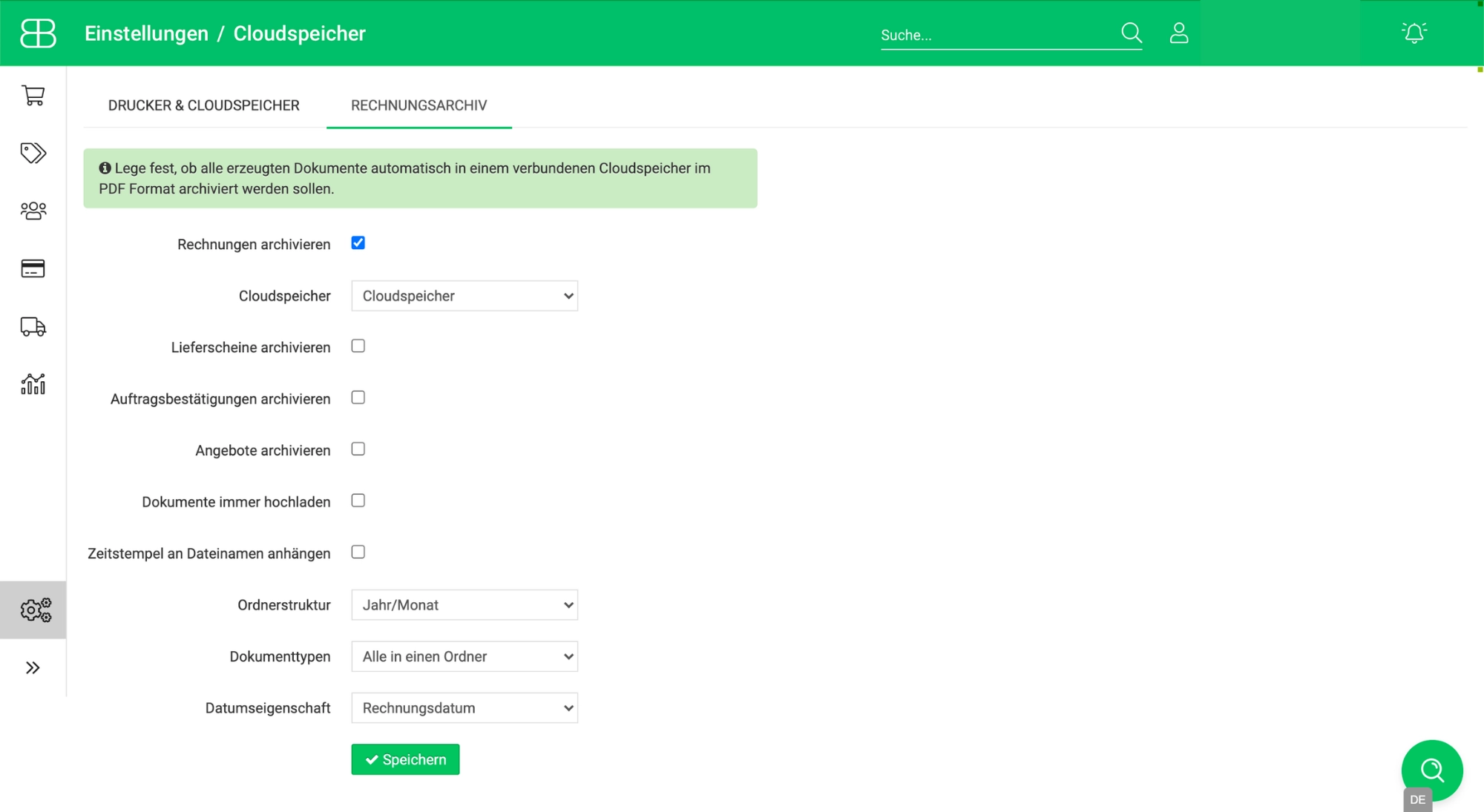
- Activate automatic invoice archiving in Billbee: Simply check the box for "Archive invoices." If you would like to automatically store other order documents (e.g., your delivery notes, quotes, or order confirmations), check those boxes as well.
- Define archiving: Specify whether your saved data should include a timestamp and determine the folder structure (e.g., year/month) for sorting your invoices.
- Let Billbee handle your invoice archive: Billbee will now automatically save all your invoices to your cloud storage.
Which cloud storage providers can I connect to Billbee?
The following cloud storage providers can be seamlessly connected to Billbee:
- Google Drive
- Amazon S3
- OneDrive
- Dropbox
- FTP server
- WebDAV
- Box.com
Frequently Asked Questions About Invoice Archiving
Do I need to archive my invoices?
Yes, invoices are considered tax-relevant documents and must be retained accordingly.
Do I need software to archive my invoices?
Specialized archiving software isn't always strictly necessary. However, you do need a structured and reliable solution that allows you to store your invoices securely and retrieve them whenever you need to. Billbee is exactly that kind of software.
Where are the invoices stored?
Billbee helps you automatically save invoices to a connected external cloud storage service. The actual archiving does not take place directly in Billbee, but rather in Google Drive, OneDrive, Dropbox, or another cloud storage provider.