

Dunning
It is frustrating when a customer fails to pay an invoice or misses the deadline. Sending payment reminders and dunning notices is time-consuming and is one of the less enjoyable tasks for online retailers. The good news: with Billbee, you can automate your dunning process and win back valuable time.
How can I automate my dunning process in Billbee?
Step 1: Automate payment reconciliation
Billbee keeps track of your customers' outstanding invoices for you. The system automatically reconciles open invoices with all incoming payments, marks paid invoices, and shows you at a glance which invoices are overdue.
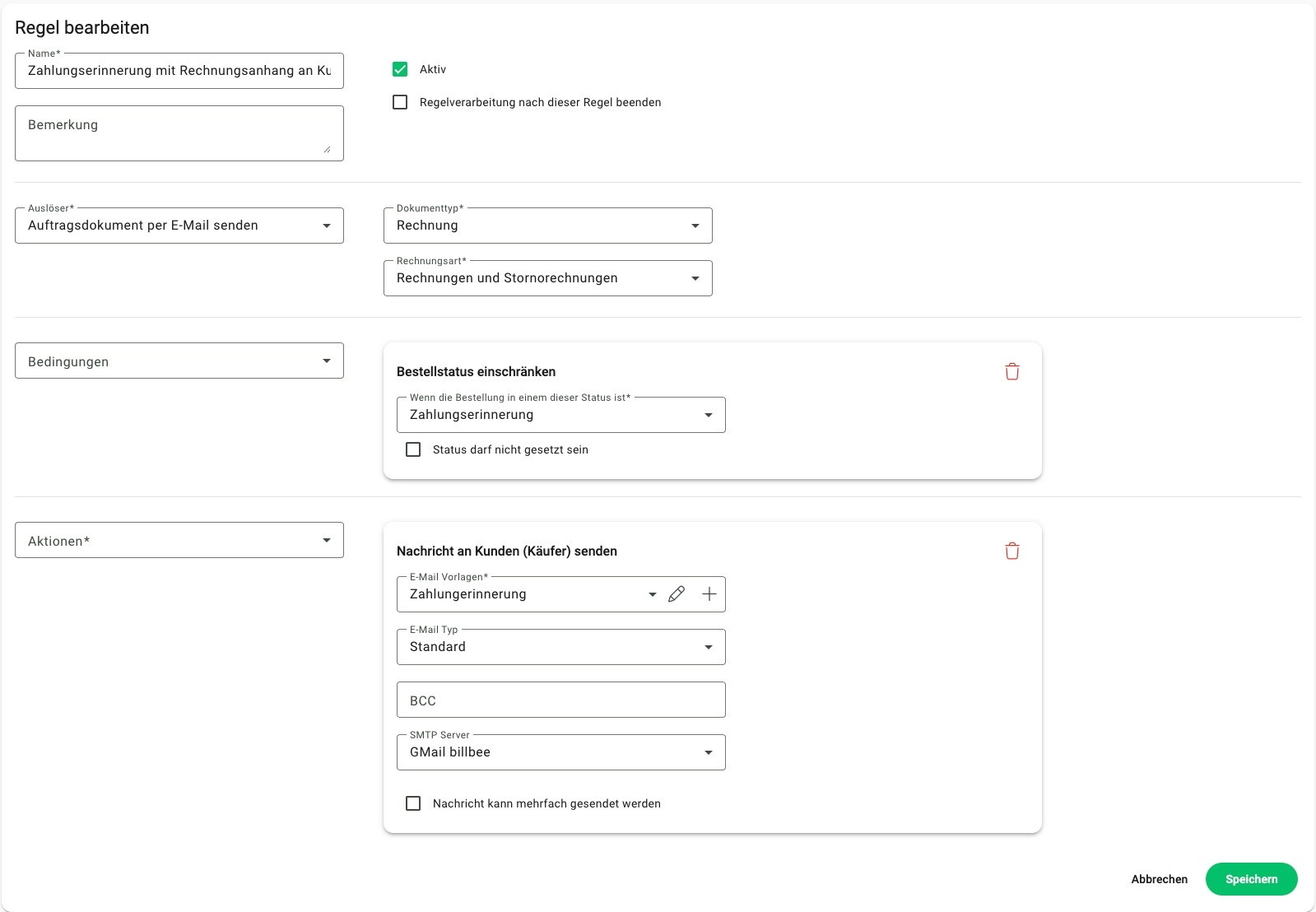
Step 2: Send payment reminders automatically
If no payment could be matched to an open invoice, Billbee automatically sends a payment reminder to your customers – with or without the invoice attached.
To ensure the message sounds personal and contains all the important information, you can customize it using placeholders and your own text.
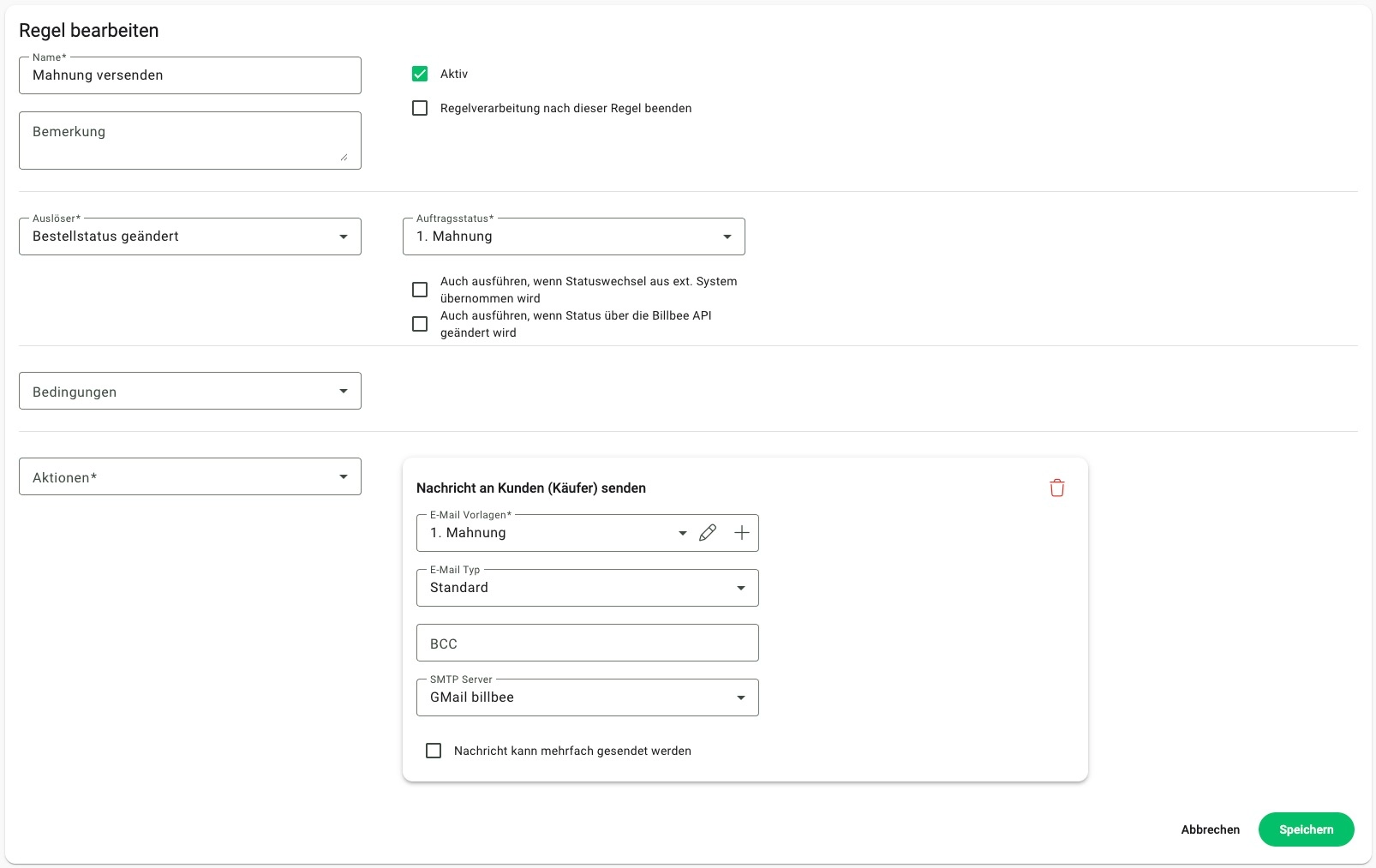
Step 3: Send dunning notices automatically
If the invoice is still not paid after the payment reminder, Billbee will automatically send a dunning notice in the next step. You can also save a custom text with placeholders for this.
Frequently asked questions about automated dunning
Can Billbee also generate payment reminders as PDFs?
No, payment reminders and dunning notices are sent using custom email templates and automated rules. However, for a full dunning process that includes document generation, you can connect Billbee to external accounting software.
How long does it take to automate my dunning process with Billbee?
That depends on how you want to structure your dunning process. Setting up the individual automation rules usually only takes a few minutes. To ensure the text aligns with your branding and is personalized with placeholders, it is best to set aside a few hours.
At what point does it make sense to automate your dunning process?
As soon as you find yourself regularly checking for outstanding invoices, writing payment reminders, or tracking deadlines, automation becomes worthwhile. There is no minimum order volume for this: even a few open items cost unnecessary time—especially if you sell across multiple shops and marketplaces. With Billbee, you can map your desired workflow using rules and have payment reminders sent out automatically.
Your benefits from an automated dunning process:
- Fewer errors: Order, invoice, and customer data are automatically inserted into your message using placeholders. This means you don't have to manually assemble every reminder.
- More time: Your payment reminders and dunning notices are sent out automatically if an invoice remains unpaid after the deadline you have set. You save yourself the effort of tracking outstanding payments and can focus on your day-to-day business.
- Better cash flow: By sending timely reminders on the exact day they are due, your customers generally pay faster. This secures your company's liquidity.
Do I need to send payment reminders as a PDF, or is an email sufficient?
You don't necessarily have to send payment reminders as a PDF; an email can be sufficient. The important thing is that you can prove your customers have received them.
Can I set the deadline for when the payment reminders are sent myself?
Yes, you can use the delay in your automation rule to determine exactly how much time should pass between the invoice and the payment reminder. You can also set the payment deadline in full days – either manually or automatically via a rule. This allows you to tailor your dunning process to your specific workflow and payment terms.