

Automatic invoicing
Automatically create and send invoices with Billbee
Billbee automates your entire invoicing process in a legally compliant way, allowing you to focus fully on your online business. The system handles creation and subsequent delivery fully automatically across all your sales channels.
- Fully automated workflow: As soon as an order comes in, the invoice is created automatically. No copy-pasting, no typos, and no stress. Save valuable hours every day with Billbee.
- Automatic delivery: Send your invoices to your customers fully automatically – including tracking numbers and personalized messages. This reduces support inquiries and ensures higher customer satisfaction.
- Custom design: Your invoices won't look like standard templates; they will shine with your own brand design.
- On the safe side legally: Billbee takes care of mandatory requirements so you can sit back and relax. All invoices comply with current legal requirements and can be archived in an audit-proof manner upon request. Even if you sell internationally, the system accounts for the tax rates applicable in each country.

How to automate your invoices with Billbee
Automating your invoices with Billbee is easy – no IT skills required.
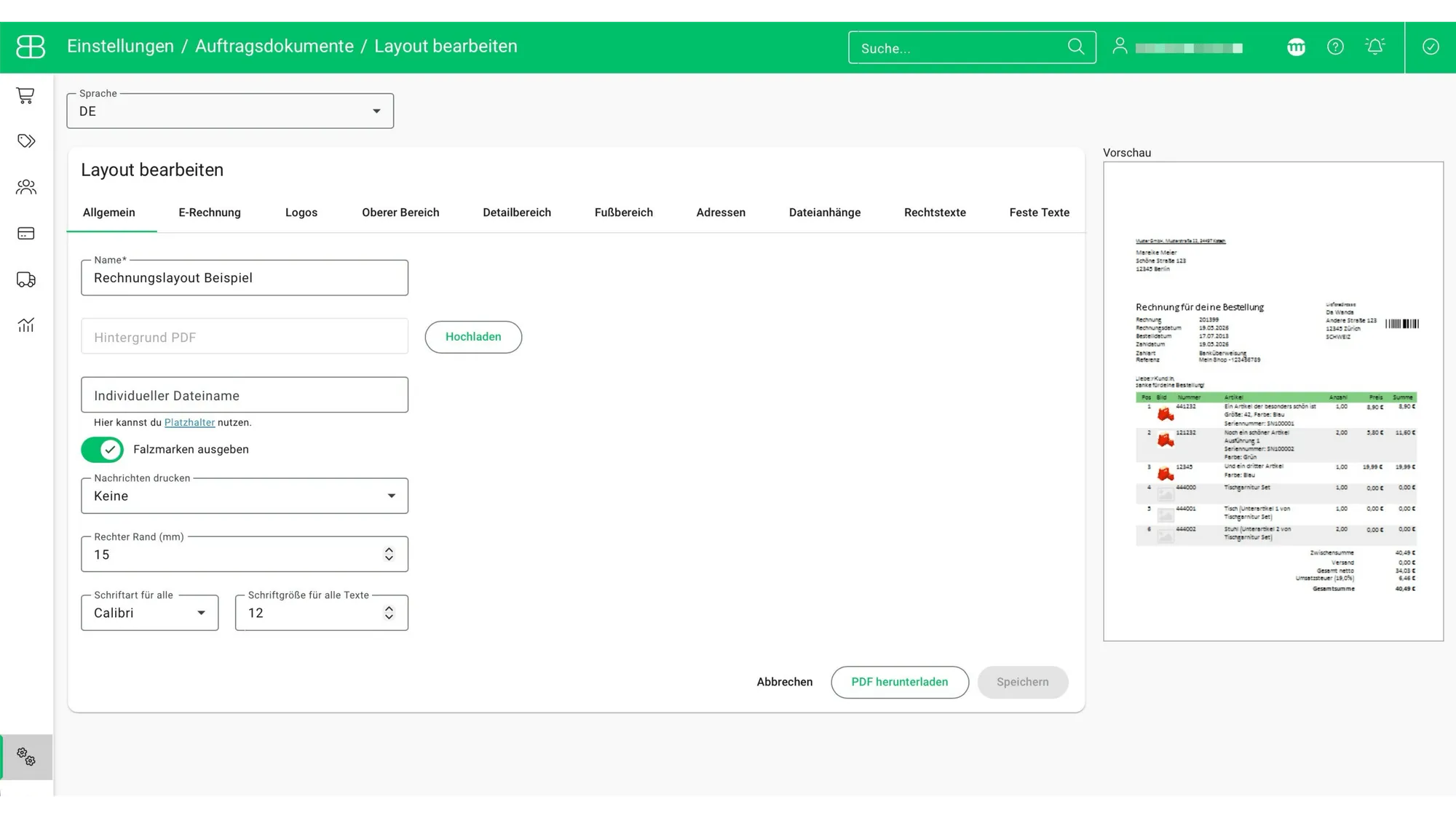
Step 1: Customize your layout
Adapt the layout of your invoices to match your online shop. Customize your logo, colors, fonts, and much more so that your customers recognize your brand.
Step 2: Automatically create invoices
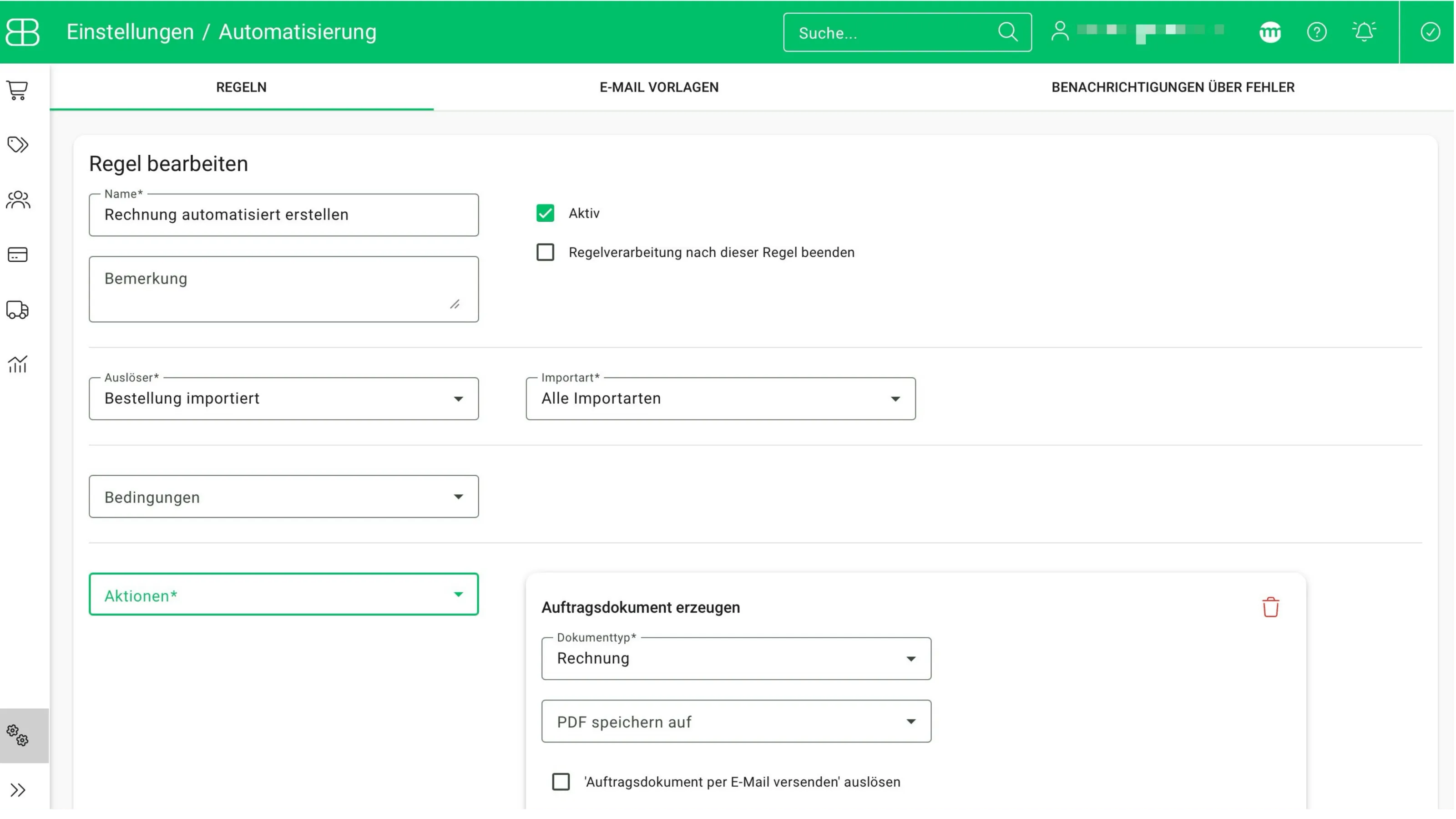
With flexible automation rules, you decide exactly when your invoices are generated—for example, immediately after an order is placed or only once payment has been received. Billbee pulls all the necessary data directly from your shop or marketplace.
Step 3: Send invoices automatically
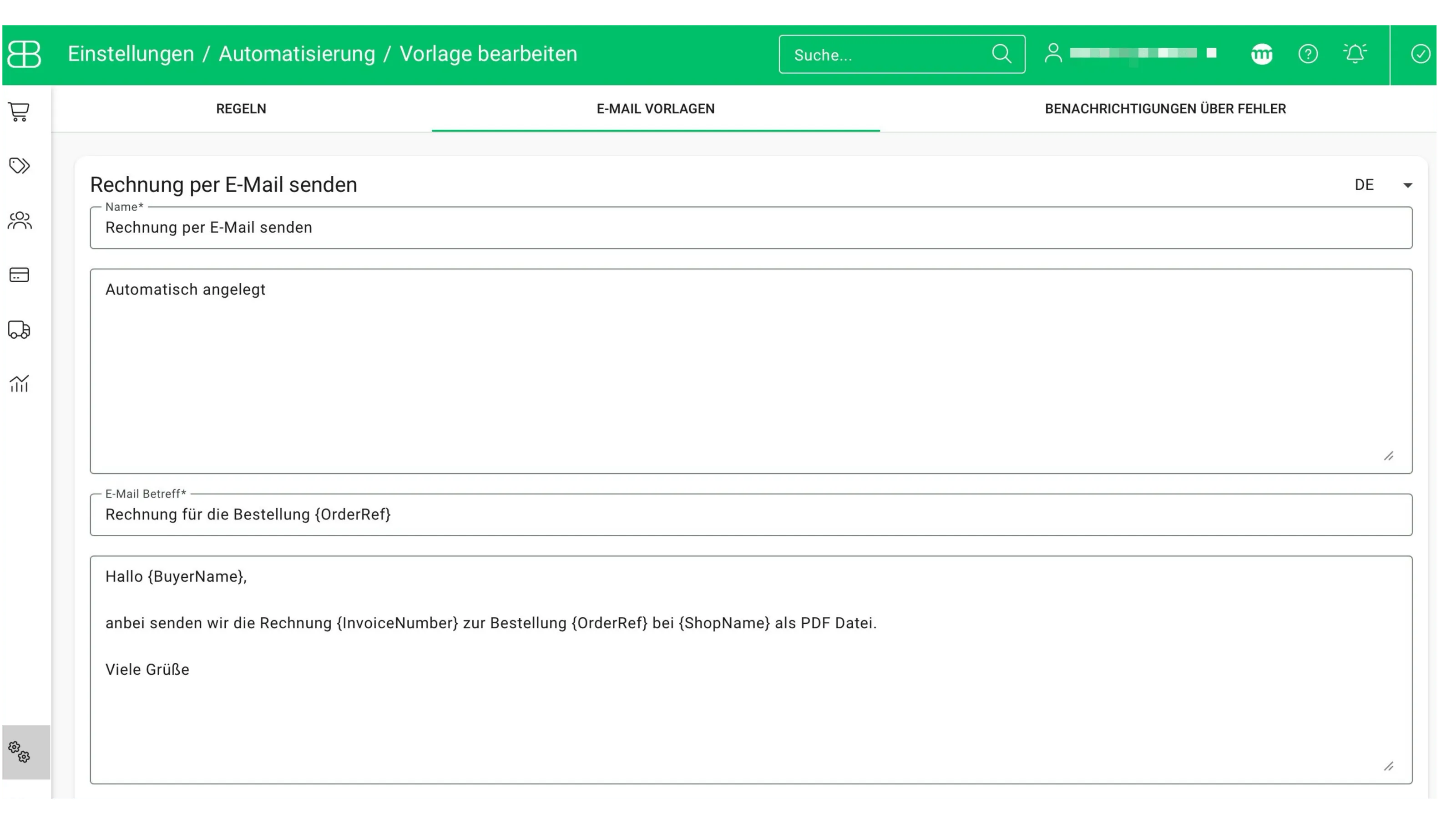
Send invoices to your customers automatically. You decide when the invoice goes out. To do this, first create a personalized email template. Use placeholders to automatically insert names, order details, or tracking links.
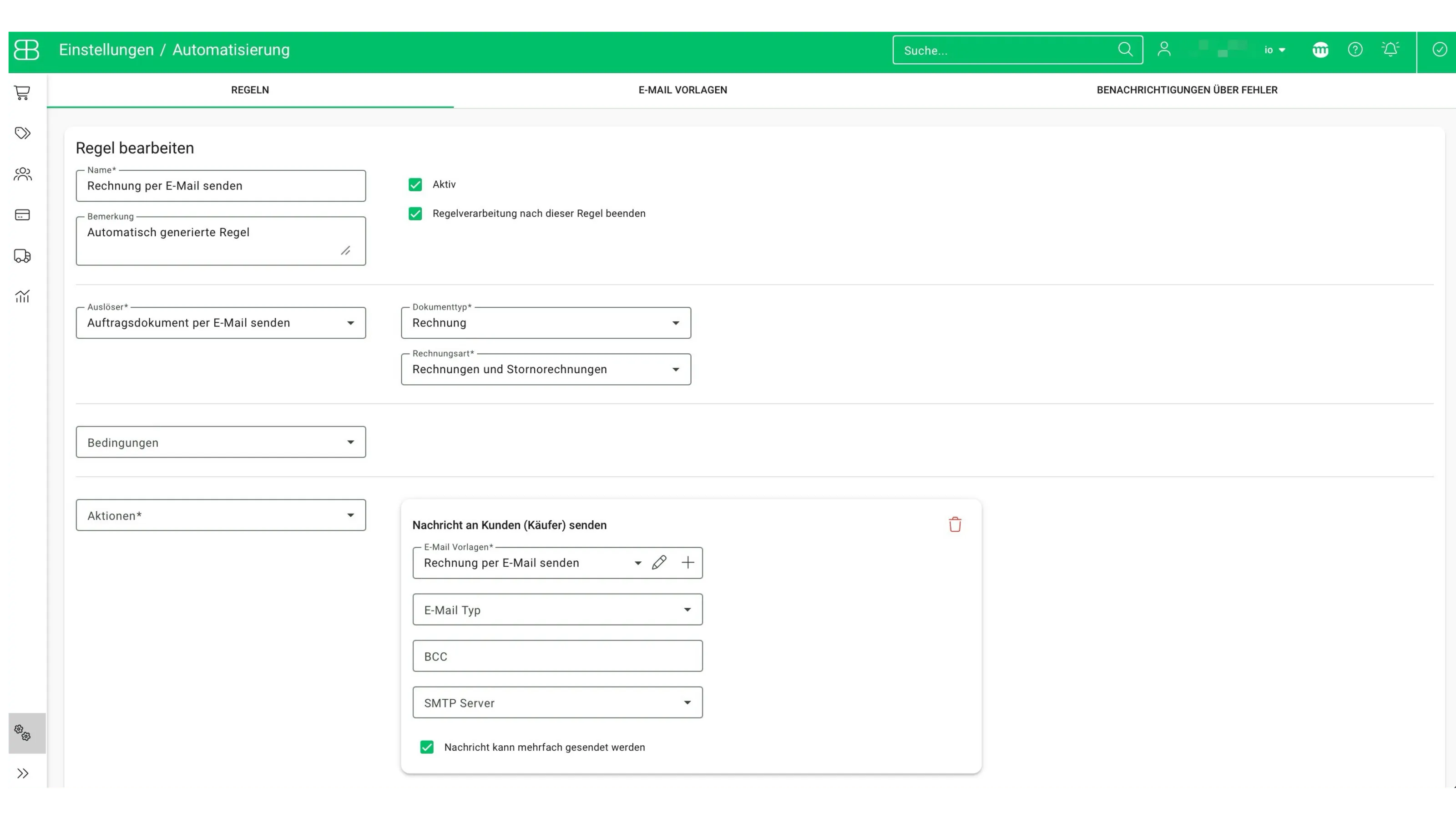
Next, create a second rule for the automatic dispatch of your invoices. A rule like this is already set up by default in your Billbee account. You can, however, customize it to suit your needs—for example, by linking the notification text you created earlier or by adding a BCC email address to receive copies of all sent invoices.
Step 4: Archive invoices automatically
Don't just have your invoices generated; have them archived directly in your preferred cloud storage service (e.g., Google Drive, Dropbox, or OneDrive). This keeps all your documents audit-proof, centrally organized, and accessible at any timefor you or your tax advisor.
Step 5: Automate invoice uploads
Marketplace customer service portals, such as those for Amazon or eBay, allow buyers to download their invoices directly. In some cases, this is even mandatory—for instance, to maintain your Prime status. With Billbee, you no longer have to upload these documents manually.
Simply activate the automatic invoice upload: As soon as an invoice is created, Billbee automatically pushes the document to the respective marketplace in the background. This not only keeps your customers happy but also improves your seller ranking, as all documents are uploaded quickly and reliably.
Frequently Asked Questions
When does it make sense to automate your invoicing?
Basically from your very first order. As soon as you start typing invoices manually in Word or Excel, you are losing time that could be spent on your online business. An invoicing program like Billbee automates the entire process, prevents errors, and ensures that you appear professional and compliant.
Invoice automation is therefore worthwhile for both small and large online shops.
Which online shops can I connect to Billbee?
You can connect all popular shop systems such as Shopify, WooCommerce, Shopware, Squarespace, Jimdo or Gambio with just a few clicks. The interfaces ensure that your order data is imported automatically. If you use a highly specialized system, Billbee also offers an open API. This way, you can keep track of all your shop sales centrally in one place.
Can I also create cancellation invoices and credit notes with Billbee?
Yes, you can create cancellation invoices for incorrect documents or credit notes for returns in just a few clicks with Billbee. The best part: your inventory can be automatically corrected if you wish, and everything is documented in a legally compliant manner to keep your bookkeeping clean.
Can I also use Billbee to handle my accounting?
Billbee is not a full-fledged accounting program, but it is the perfect partner. Because the system prepares your accounting perfectlyby processing your data cleanly and automatically transmitting it to your accounting tool (e.g., DATEV, Lexware Office, or sevdesk).
Is Billbee also suitable for small business owners?
Yes, Billbee is the ideal invoicing tool for small business owners, too. You can easily configure the small business regulation (under Section 19 of the German Value Added Tax Act) in your settings so that no VAT is shown on your invoices.
Since our fees grow with your success, Billbee is the perfect solution to get off to a professional start without high financial risk and to grow beyond your current limits alongside us.
Which marketplaces can I connect with Billbee?
Can I use Billbee to create invoices if I sell internationally?
Yes, Billbee recognizes different tax rates abroad and can generate invoices in various languages and currencies. The system also handles complex requirements like the One-Stop-Shop (OSS) procedure for EU-wide shipping. This allows you to sell without borders, while the invoicing software works in the background to ensure your documents are tax-compliant.
How much does Billbee cost?
At Billbee, there are no rigid packages. Instead, we use a fair, usage-based model: you pay a base fee of €9 per month plus a small amount per order. This means that if you sell a little, you pay a little. If you sell a lot, you benefit from our price caps. This keeps Billbee affordable for small and medium-sized merchants and allows it to adapt flexibly to your current order volume.