

Customer communication
Does keeping your customers updated on their order status take up too much of your time every day? Let Billbee handle your customer communication. With simple automation rules, you can automatically notify your customers and send order documents.
Send messages and order documents automatically
With Billbee, you can send messages and order documents automatically at the right time. This ensures your customers receive all the important information they need without you having to follow up manually. This not only boosts customer satisfaction but also reduces the number of support requests you receive.
Use Billbee to automate the sending of, for example:
- Order confirmations
- Invoices
- Shipping notifications including tracking information
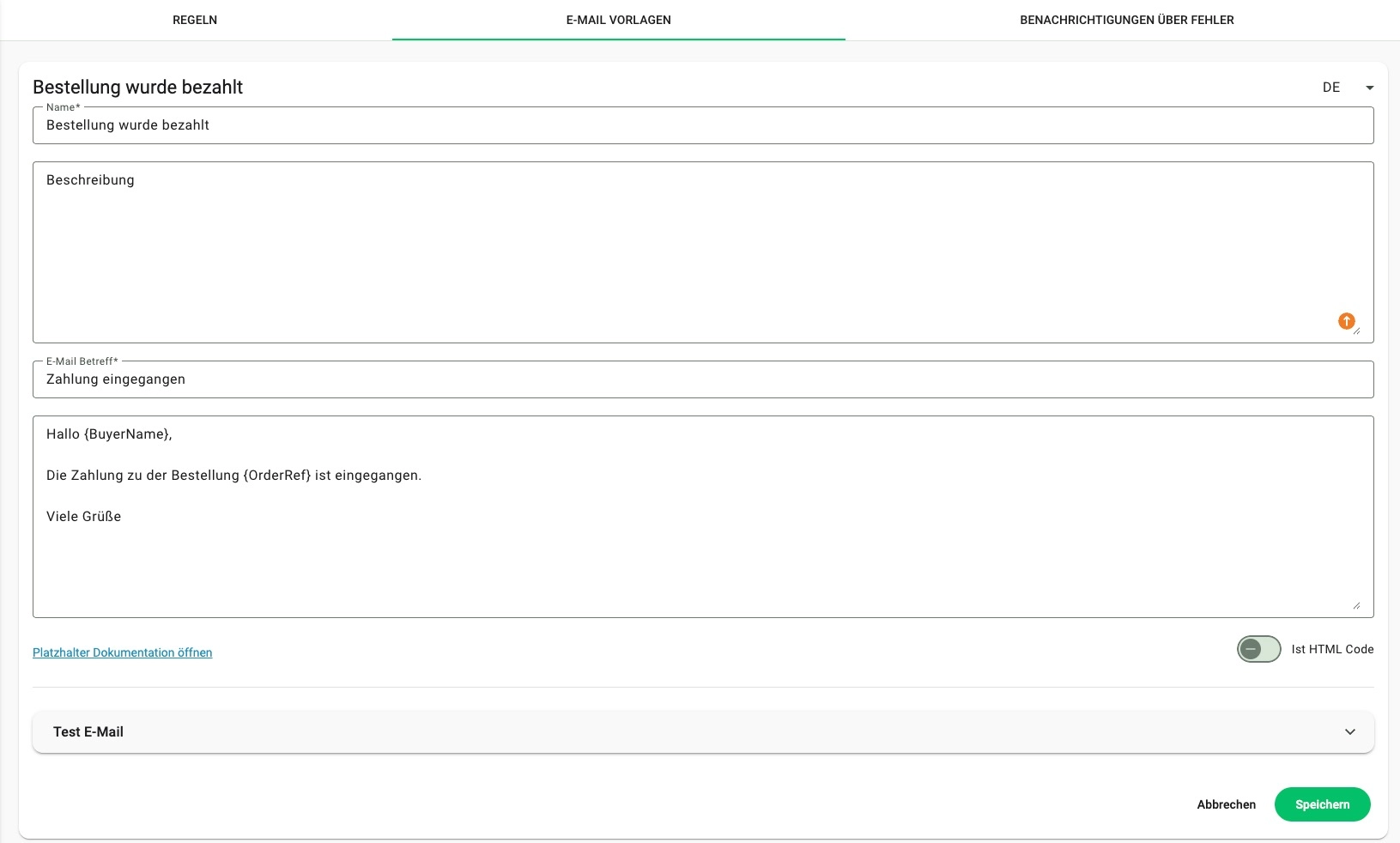
How can I automate my customer communication with Billbee?
- Set when the email should be sent to your customers. Define a trigger (e.g., a status change) in the automation rule. To tailor your workflows even more precisely to your needs, you can add conditions to specify exactly under which circumstances the email should be sent (e.g., only if a specific item is included in the order).
- Define what should happen. Usually, this involves sending a message to your customers.
- Create your email contentto be sent to your customers. The best part: you can create as many templates as you need to cover all your use cases (e.g., different texts for each shop system or marketplace). You can also save these texts in multiple languages.
- Personalize your message: Add Placeholders into your messages. Billbee automatically fills these placeholders with content, such as the customer's name or order details. This ensures your texts remain personal despite automation, making them sound as if they were written by hand.

Provide download offers in the customer portal
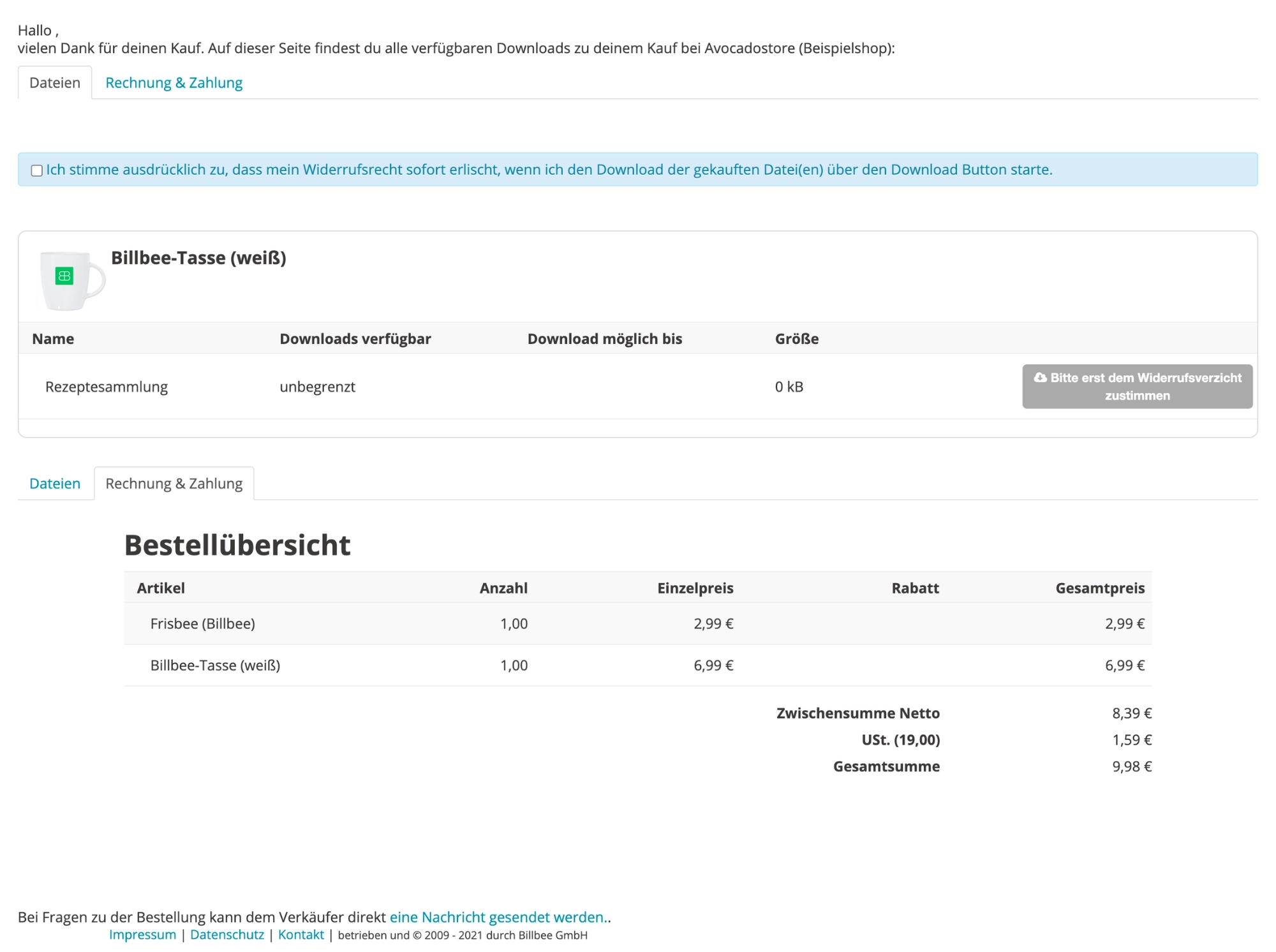
Alternatively, or in addition, you can create a customer portal and share your customers' invoices as well as digital items (e.g., goodies, guides, audio files) with them there.
To do this, connect a cloud storage service (e.g., Dropbox) to Billbee and send an individual link generated by Billbee to your customers. Through this link, they gain access to their own personal customer portal where they can download their order documents or digital items.
Manage, edit, and automate customer messages
As soon as you are active on multiple sales channels, your customer messages end up in various inboxes. For structured customer service and effective communication, you need a helpdesk tool like Replyco. Such a tool consolidates your messages into a central inbox, displays relevant order and customer data, and supports you with automated processing.

Frequently asked questions about automated customer communication
When does it make sense to automate customer communication?
As soon as you start sending recurring messages regularly or processing a high volume of orders across different sales channels, automation will noticeably reduce your workload. With Billbee, you can automatically send order confirmations, invoices, payment receipts, or shipping information to your customers.
How long does it take to set up the automation?
That depends on which messages you want to automate and how unique your workflow is. However, many standard rules are already built into Billbee and simply need to be activated or adjusted.
For an easy start, you can simply select an existing template under Settings > Automation and activate the corresponding rule.
Can I customize the messages?
Yes, you can write your own messages and personalize them using placeholders. This allows Billbee to automatically insert the relevant information (e.g., customer name, order number, or shipping details).