

Customer portal
In the customer portal, you can provide your customers with individual files for download. Instead of sending invoices and digital goodies as PDF attachments, you can simply send them the link to your Billbee-powered customer portal.
Ideal if you offer digital products
If you sell or want to provide digital products like e-books, guides, MP3 files, or similar items for free, the customer portal is perfect for you.
Using the customer portal link, you can grant your buyers access to your items, define how often the product can be downloaded, and set an expiration date for the download.
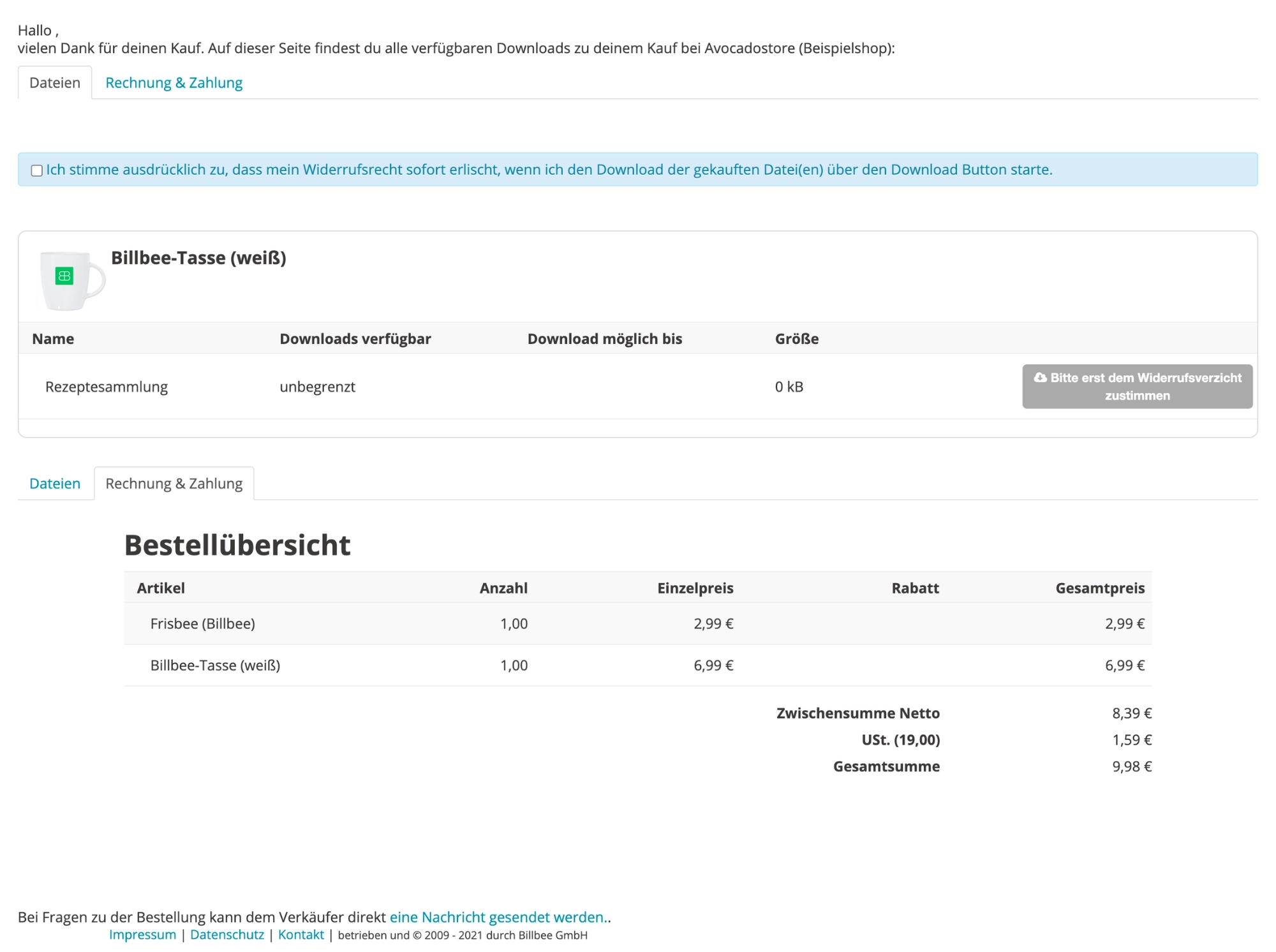
Ideal if you want to provide invoices digitally
You can also make your invoices permanently availablein the customer portal. To do this, connect a cloud storage service (e.g., Dropbox) in Billbee. This allows your customers to access their purchase data via their individual link.
Frequently asked questions about the customer portal
What is a customer portal and who is it for?
The customer portal is a dedicated website that customers can access via a unique link. Within the portal, they can download invoices and order-related files, such as manuals, audio files, or bonus content.
It is particularly useful for you if
- your customers frequently request invoices or order documents,
- you provide digital products, manuals, or other files after purchase,
- you want to reduce the burden of recurring standard inquiries on your support team.
How is access to the customer portal secured?
The link is generated using a long, random string of characters, making it impossible to guess. This ensures that only your customers can access their order data.
Can I customize the customer portal?
Yes, you can add custom banners and text to personalize your customer portal.