

Number ranges
Number ranges are not just important for your bookkeeping. They also help you number invoices, delivery notes, quotes, orders, and product SKUs in a clear, sequential manner according to your own specifications.
What can I use number ranges for?
For the sequential numbering of various document and data types
In Billbee, you can automate number ranges for the following document and data types:
- Invoice numbers
- Delivery note numbers
- Order confirmation numbers
- Quote numbers
- Order numbers (only for manually created orders)
- Product SKUs
For your bookkeeping
In bookkeeping, invoice numbers must be sequential and unique to comply with tax office requirements. By using number ranges, you can meet this requirement easily.
Easily assign orders to the respective sales channel
When you orders from different shops or marketplaces distinguish them based on their number ranges If you would like to, you can create a number range for each of your connected shops or marketplaces and then assign it to the respective channel in your Billbee shop settings.
Assigning different number ranges to your connected shops and marketplaces can also be helpful if you manage multiple companies within a single Billbee account.
How can I set up number ranges in Billbee?
Billbee includes predefined number ranges for delivery notes, invoices, quotes, and order confirmations. These cannot be deleted and are used whenever no other number range has been explicitly assigned to a shop.
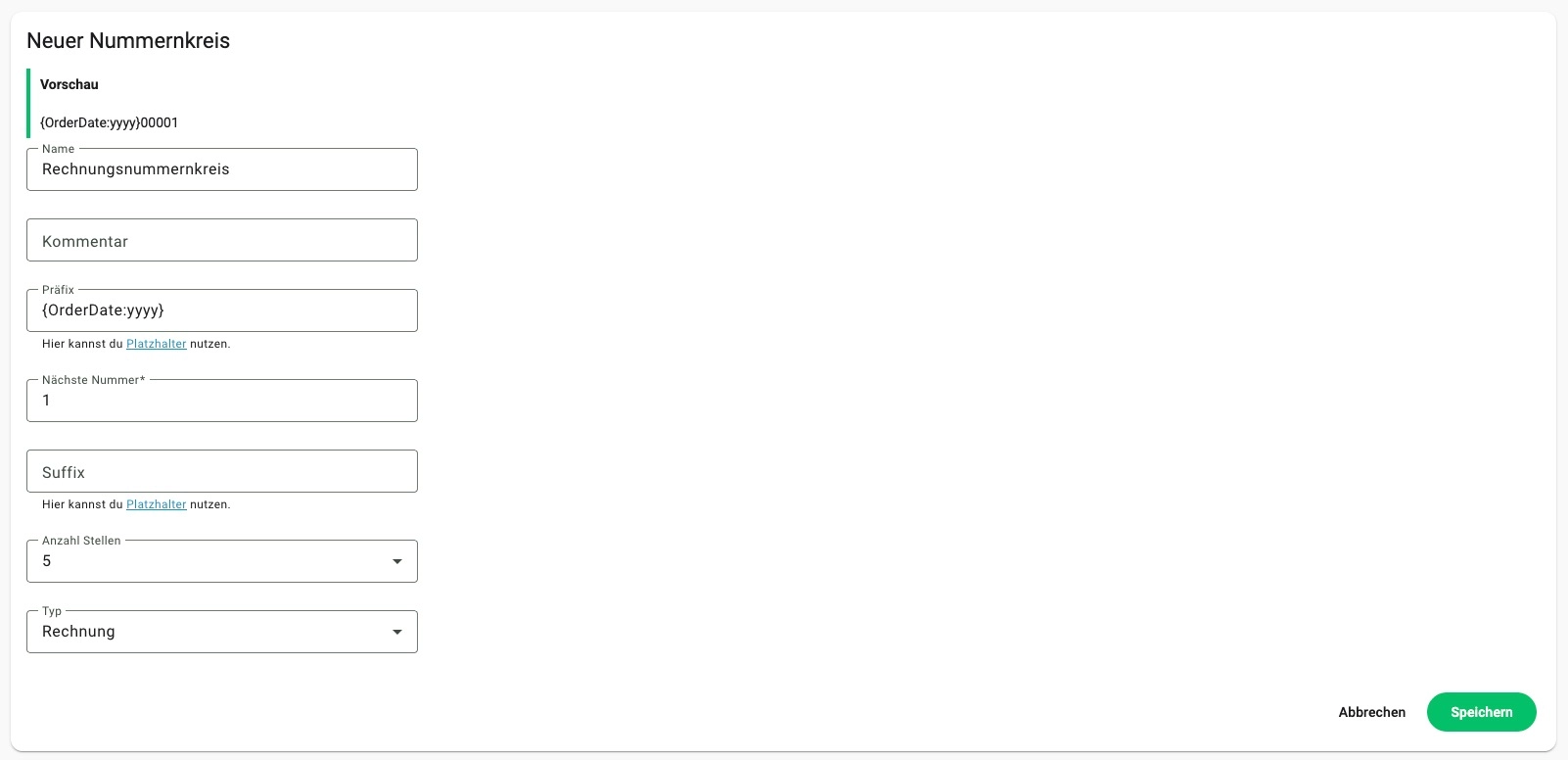
You can also create custom number ranges. For example, if you want to include the current year, you can use placeholders. This way, you won't have to manually adjust your number ranges when the year changes.
Frequently asked questions about number ranges
What are number ranges?
Number ranges are sequences of numbers that allow you to automatically and consecutively number your records and documents.
How can I use number ranges in Billbee?
You can find these settings under Settings > Order Documents > Number Ranges. There, you can adjust existing number ranges or create your own by clicking the plus icon. They can be used for invoices, delivery notes, quotes, order confirmations, manually created orders, and product SKUs, among other things.
What are number ranges made of?
A number range consists of a prefix (e.g., “RE-”), the next number, a suffix, and the desired number of digits.