

Parts lists
Parts lists help you sell products that consist of multiple individual items – for example, gift sets or 10-packs. You create the individual items once and link them to a sales item. This way, you keep track of your inventory and always know how many sets you can sell.
How can I create parts lists with Billbee?
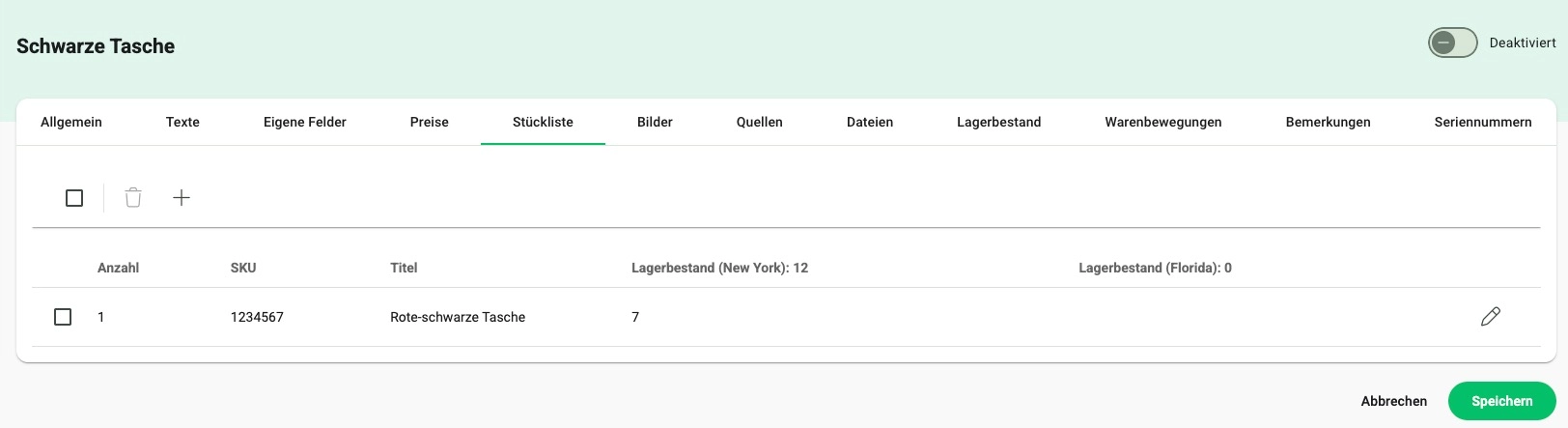
First, create the individual components as standard items in Billbee. Then, create the sales item, set the item type to "parts list," and link the appropriate individual items, including the required quantities. Billbee will automatically calculate how many parts lists you can sell based on your current inventory.
Frequently asked questions about parts lists
What are parts lists?
Parts lists consist of multiple individual items – much like the ingredients in a recipe. Only the right combination and quantity result in the finished product. You can use bills of materials for, for example, product bundles, gift sets, or sales itemsthat consist of several individual components.
Is stock updated automatically?
Yes, Billbee automatically calculates the available stock of a bill of materials based on the stock levels of the individual items. The individual item with the lowest stock level determines how many sets you can sell in total.
Why are bills of materials useful?
With bills of materials, you can continue to manage your individual items separately while still combining them into a bundle or product package. This means you don't have to maintain sets as separate inventory items and can keep track of your stock levels – even if you also sell individual components separately.